ask:
assignment-1:
The Book of Shaders is one of the best references online for shader programming. Reading through it may help you understand concepts you are still having trouble with.
Read the sections on Shapes and Patterns and build a sketch that uses shaping functions to generate an interesting composition.
Use p5.js and WebGL.
Your effect should be coded in the fragment unit of your shader.
Your effect should not use any uniform textures as input.
output:
assignment-2:
Build a solar system with moons, planets, and a sun.
Use three.js and WebGL.
Use parent-child relationships when adding your meshes to the scene. Moons should orbit around planets, and planets should orbit around the sun.
You don’t need to use SphereGeometry for all the shapes. Try some of the other included geometries.
Re-use the same material for all planets and re-use the same material for all moons.
from the book of shaders:
In order to run in parallel every pipe, or thread, has to be independent from every other thread. We say the threads are blind to what the rest of the threads are doing. This restriction implies that all data must flow in the same direction. So it’s impossible to check the result of another thread, modify the input data, or pass the outcome of a thread into another thread. Allowing thread-to-thread communications puts the integrity of the data at risk
It’s impossible for a thread to know what it was doing in the previous moment. It could be drawing a button from the UI of the operating system, then rendering a portion of sky in a game, then displaying the text of an email. Each thread is not just blind but also memoryless.
understood each line of a barebones shader program.
made a template.
In the same way GLSL gives us a default output, vec4 gl_FragColor, it also gives us a default input, vec4 gl_FragCoord, which holds the screen coordinates of the pixel or screen fragment that the active thread is working on. With vec4 gl_FragCoord, we know where a thread is working inside the billboard. In this case we don't call it uniform because it will be different from thread to thread, instead gl_FragCoord is called a varying.
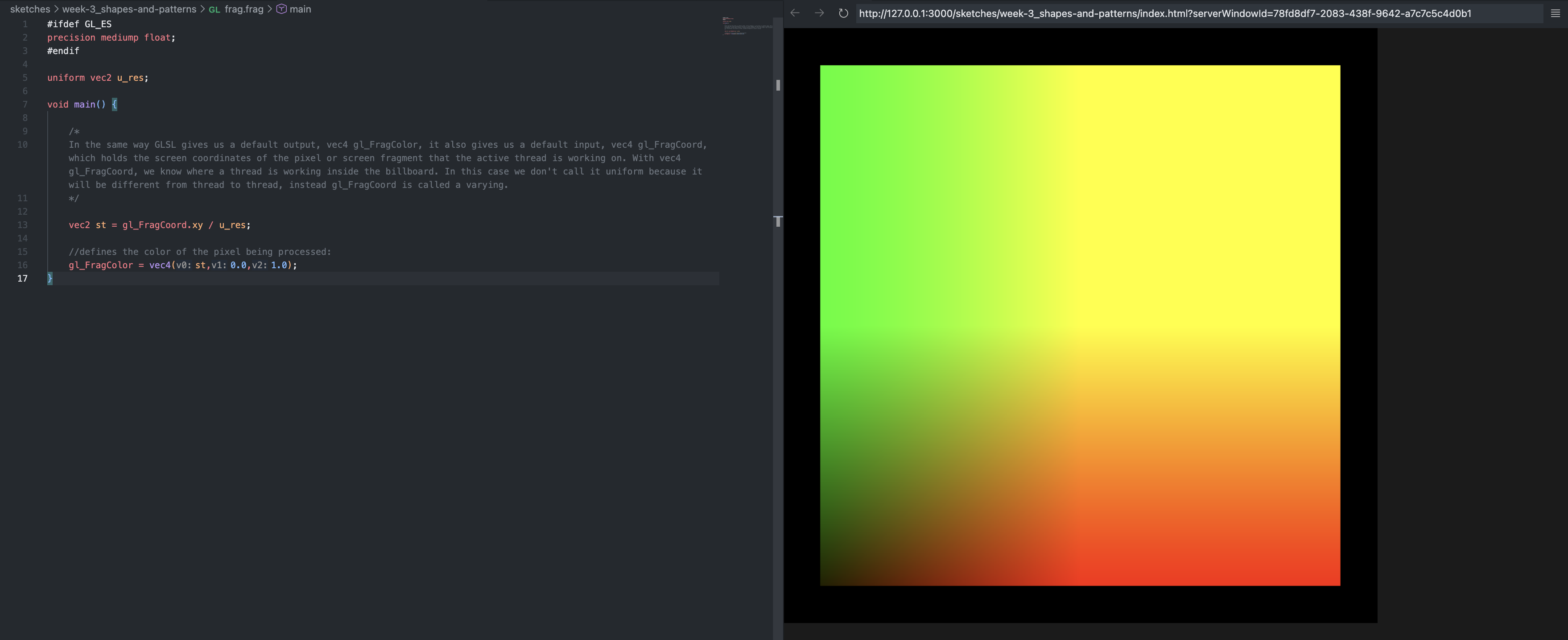
i decided to do something with light. since shaders interpolate colors between two vertices, i thought it would lead to an interesting output.
small program that makes units in pairs.
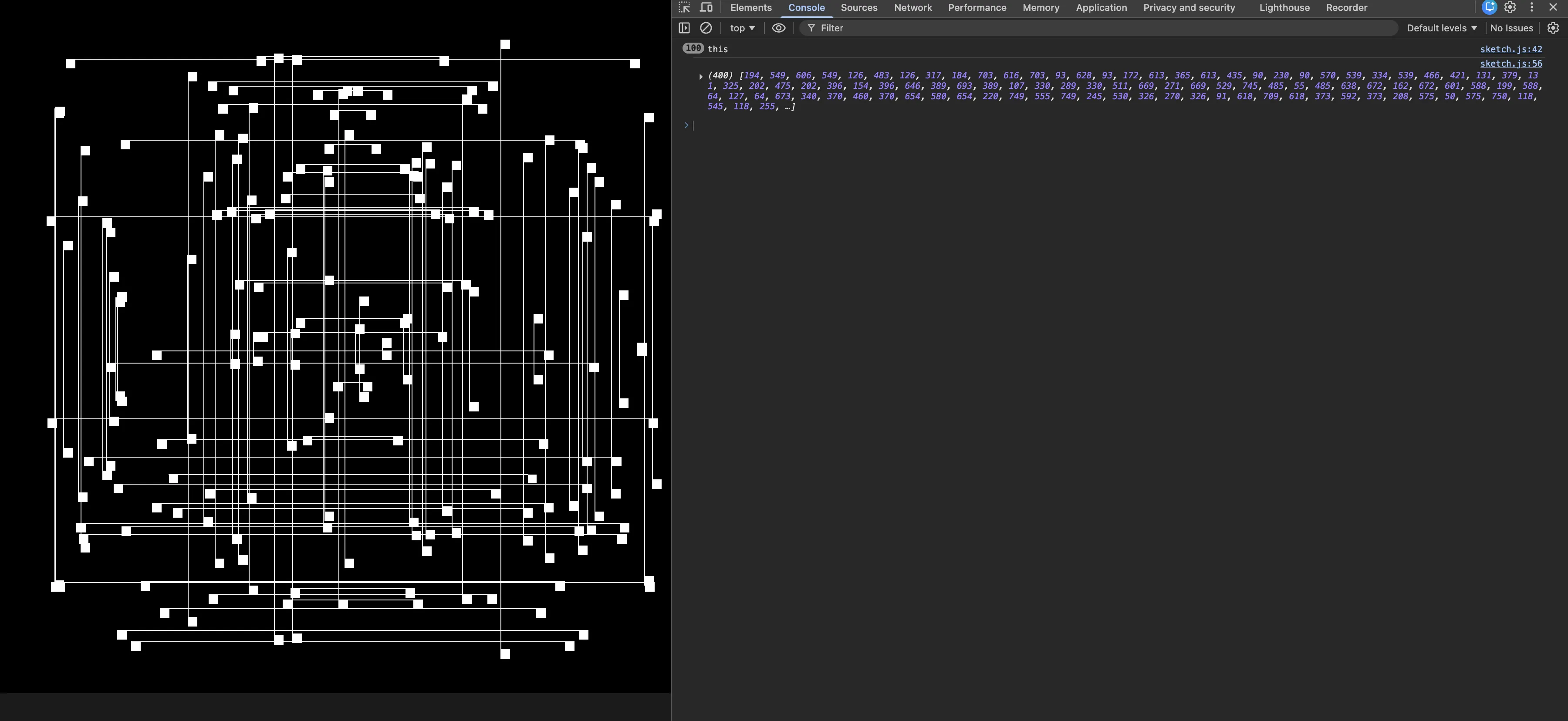
//untitled; arjun; month, 2026.

/*
ask:

*/

/*
thought:
we're going to draw symmetrical rectangles.
*/

const margin = 50;

let my_shader;

let num = 100;

let posis = [];

let t = 0;

// function preload() {
//   my_shader = loadShader("vert.vert", "frag.frag");
// }

function setup() {
  // createCanvas(1000, 562); //in 16:9 aspect ratio.
  createCanvas(800, 800); //square to handle calculations better.

  //calculate positions:
  calc_posis();

  noStroke();
}

function calc_posis() {

  for (let i = 0; i < num; i++) {
    //decide whether you have a horizontal twin or a vertical twin.

    console.log("this");

    let p = random();

    let x = Math.floor(random(margin, width - margin));
    let y = Math.floor(random(margin, height - margin));

    if (p < 0.5) {
      posis.push(x, y, width - x, y);
    } else {
      posis.push(x, y, x, height - y);
    }
  }

  console.log(posis);
}

function draw() {
  background(0);

  // shader(my_shader); //set the shader.

  // /* pass uniforms into the shader: */
  // my_shader.setUniform("u_res", [width, height]); //we use this to translate the drawing onto the center later.

  // t += millis();

  // my_shader.setUniform("u_time", t);

  fill(255);
  for (let i = 0; i < posis.length; i += 4) {
    rect(posis[i], posis[i + 1], 10, 10);
    rect(posis[i + 2], posis[i + +3], 10, 10);

    strokeWeight (1);
    stroke (255);

    line (posis[i], posis[i+1], posis[i+2], posis[i+3]);
  }

  noLoop();
}
made a different generator using vertices.
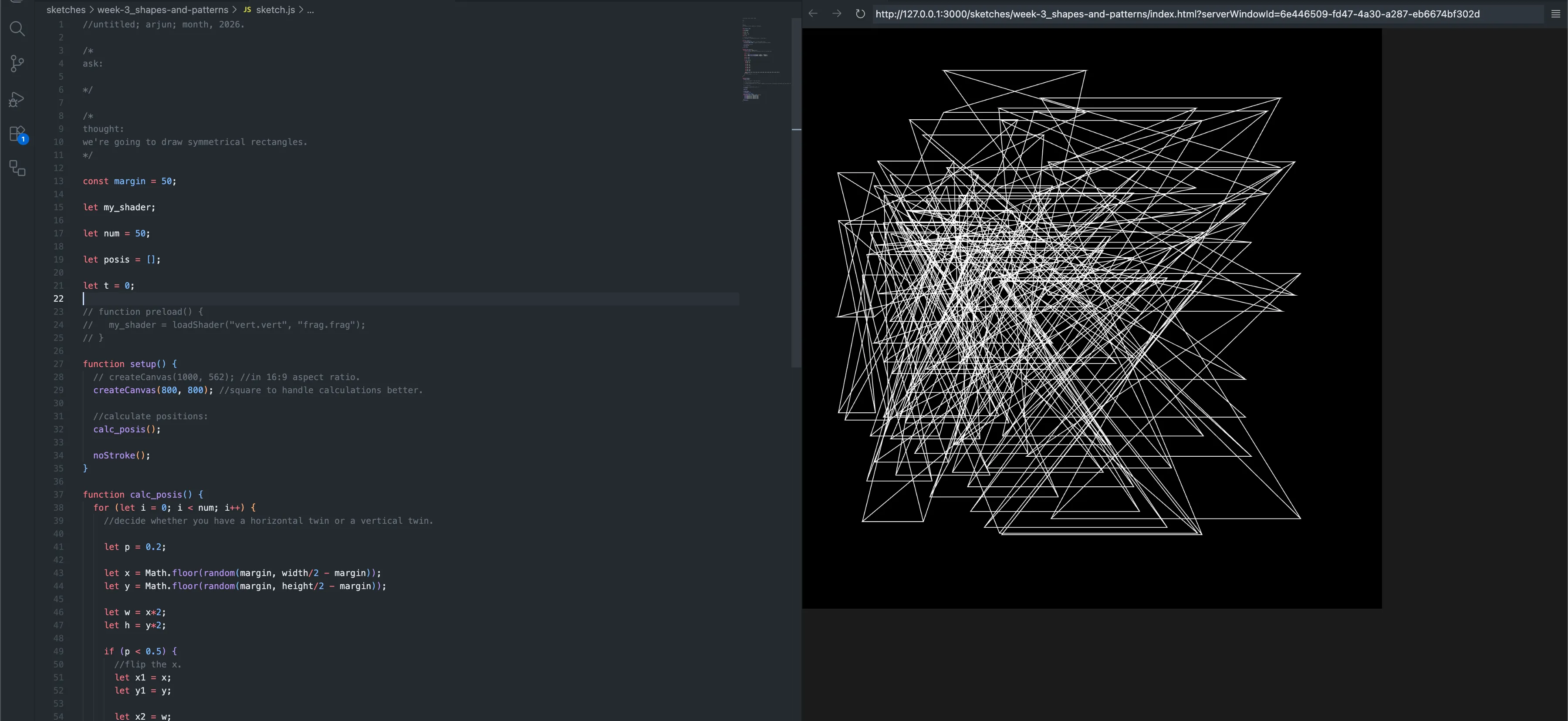
//untitled; arjun; month, 2026.

/*
ask:

*/

/*
thought:
we're going to draw symmetrical rectangles.
*/

const margin = 50;

let my_shader;

let num = 50;

let posis = [];

let t = 0;

// function preload() {
//   my_shader = loadShader("vert.vert", "frag.frag");
// }

function setup() {
  // createCanvas(1000, 562); //in 16:9 aspect ratio.
  createCanvas(800, 800); //square to handle calculations better.

  //calculate positions:
  calc_posis();

  noStroke();
}

function calc_posis() {
  for (let i = 0; i < num; i++) {
    //decide whether you have a horizontal twin or a vertical twin.

    let p = 0.2;

    let x = Math.floor(random(margin, width/2 - margin));
    let y = Math.floor(random(margin, height/2 - margin));

    let w = x*2;
    let h = y*2;

    if (p < 0.5) {
      //flip the x.
      let x1 = x;
      let y1 = y;

      let x2 = w;
      let y2 = y1;

      let x3 = x2;
      let y3 = h;

      let x4 = x1;
      let y4 = y3;

      posis.push({ x1: x1, y1: y1, x2: x2, y2: y2, x3: x3, y3: y3, x4: x4, y4: y4 });
    } else {
      // posis.push(x, y, x, - y);
    }
  }
}

function draw() {
  background(0);

  // shader(my_shader); //set the shader.

  // /* pass uniforms into the shader: */
  // my_shader.setUniform("u_res", [width, height]); //we use this to translate the drawing onto the center later.

  // t += millis();

  // my_shader.setUniform("u_time", t);
  fill(255);

  noFill();

  stroke (255);
  strokeWeight (1);

  beginShape(QUAD_STRIP);
  for (let i = 0; i < posis.length; i++) {
    vertex(posis[i].x1, posis[i].y1);
    vertex(posis[i].x2, posis[i].y2);
    vertex(posis[i].x3, posis[i].y3);
    vertex(posis[i].x4, posis[i].y4);
  }
  endShape();
}
just ended up making a simple looping animation: impossible origami.
it didn’t work the way i intended it to, but that’s okay — i used the stuff i learnt in my noc_experiments_week-3, which turned out nicer.
then moved on to assignment 3.
made the planet sketch; wasn’t particularly interested.