documented formally here: https://arjunmakesthings.github.io/projects/2025_me-my-father-and-our-neurons/page.html
ask:
Create a Digital Cornell Box. Think about the objects you place in your Cornell Box, what do these objects represent poetically, personally or metaphorically? How will you use animation, interactivity and real time environments to bring these objects to life? Will this be a screen based work? A mobile piece? A projected work? What sort of style or theme do you want your box to have? This piece is due in our final class week 14.
Your “Cornell Box” project should include at least (5) objects that you’ve collected / curated. These objects can be videos, images, audio files, 3D models, text, etc. You may present these in whichever form best supports your understanding of the collection.
Your box should include at least (3) points of interactivity. This could include mouse-click, keypress interactivity, camera movement, spatial audio, proximity triggers.
output:
description:
my father left me & my mother when i was 19. we haven’t spoken in the last 5 years.
i have media on my hard-drive that show me close to him, but i can’t recall those memories — because we are estranged in reality.
as time passes, i’m beginning to forget what he looked like, how he talked and how he behaved. on one side, that’s good — i’m finally beginning to let go. but on the other, as i’ve come to realise lately, parts of me desperately desire us to meet,; and for me to preserve those memories in their original shape.
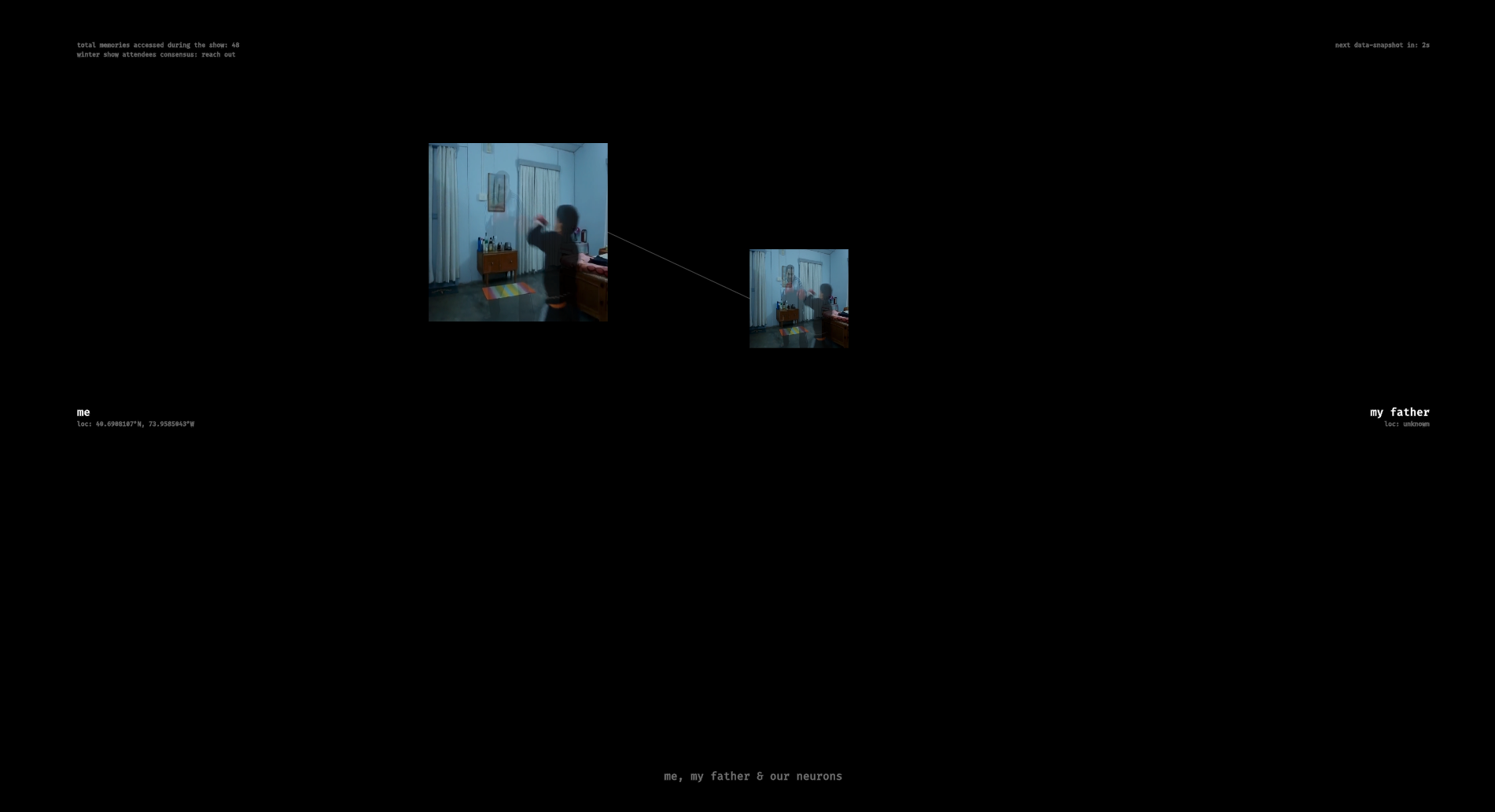
this project invites you to influence my dilemma. physical-units in space represent neurons in either my brain or my father’s. by moving them around, you see the same memory represented differently in our brains. moving neurons of the same memory to the center combine the two estranged memories. every 3 minutes, the program takes a snapshot of all the neurons and calculates a score that results in the collective decision of whether i should ‘reach out’ or ‘let go’.
demo video:
shloka & i decided to work together on this one, since we’ll likely not have the same courses in the future.
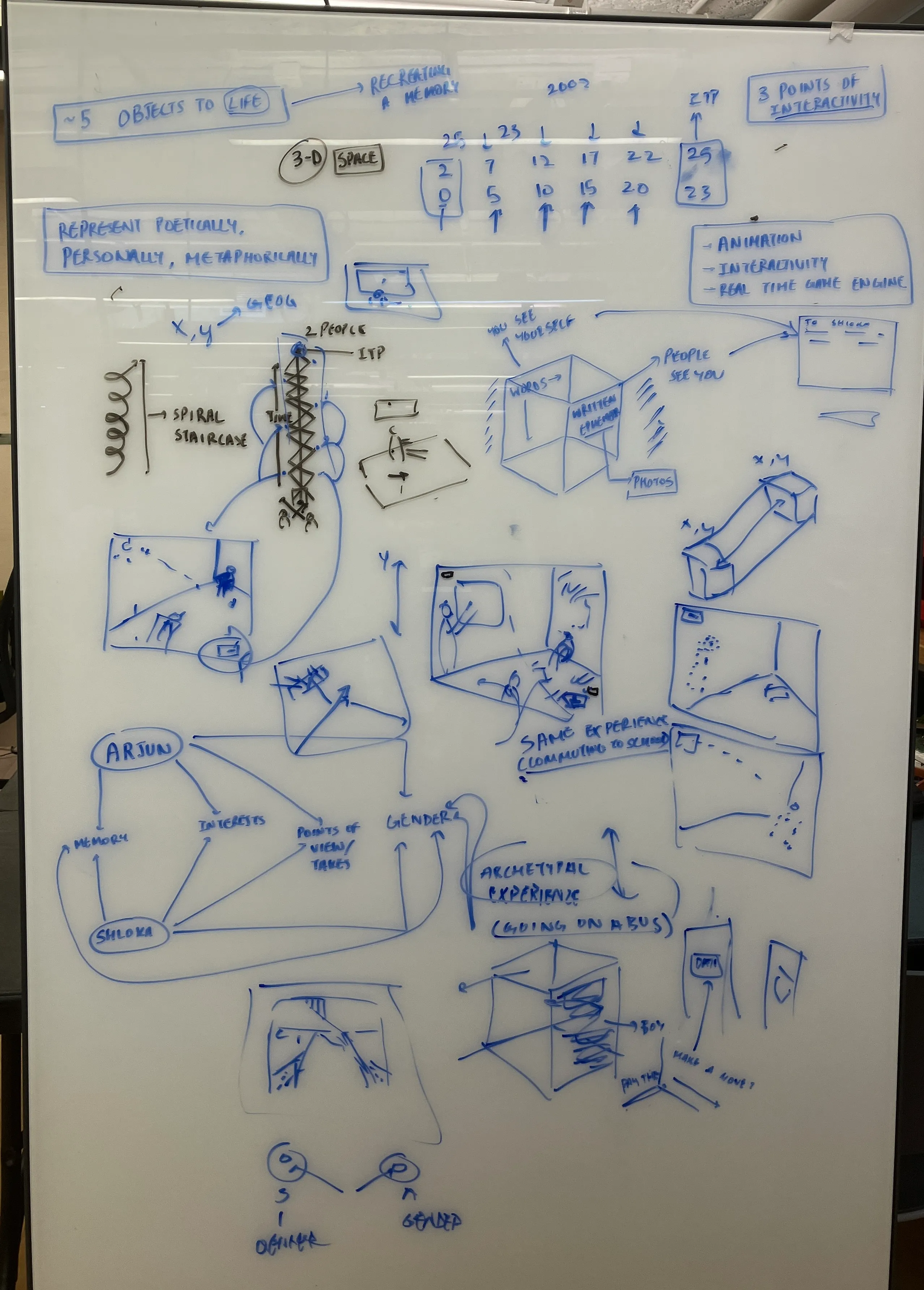
i came in not particularly excited by the idea of unity (i never was excited about 3-d world building), but thought that i could piggyback off shloka’s interest in storytelling with time-based media. but, i realised that they also had a lot on their plate (and couldn’t focus on this).
eventually, we arrived at an idea to show people what anxiety feels like by mapping the commute from the subway to the floor, and showing all the things we think about (and the decisions we make).
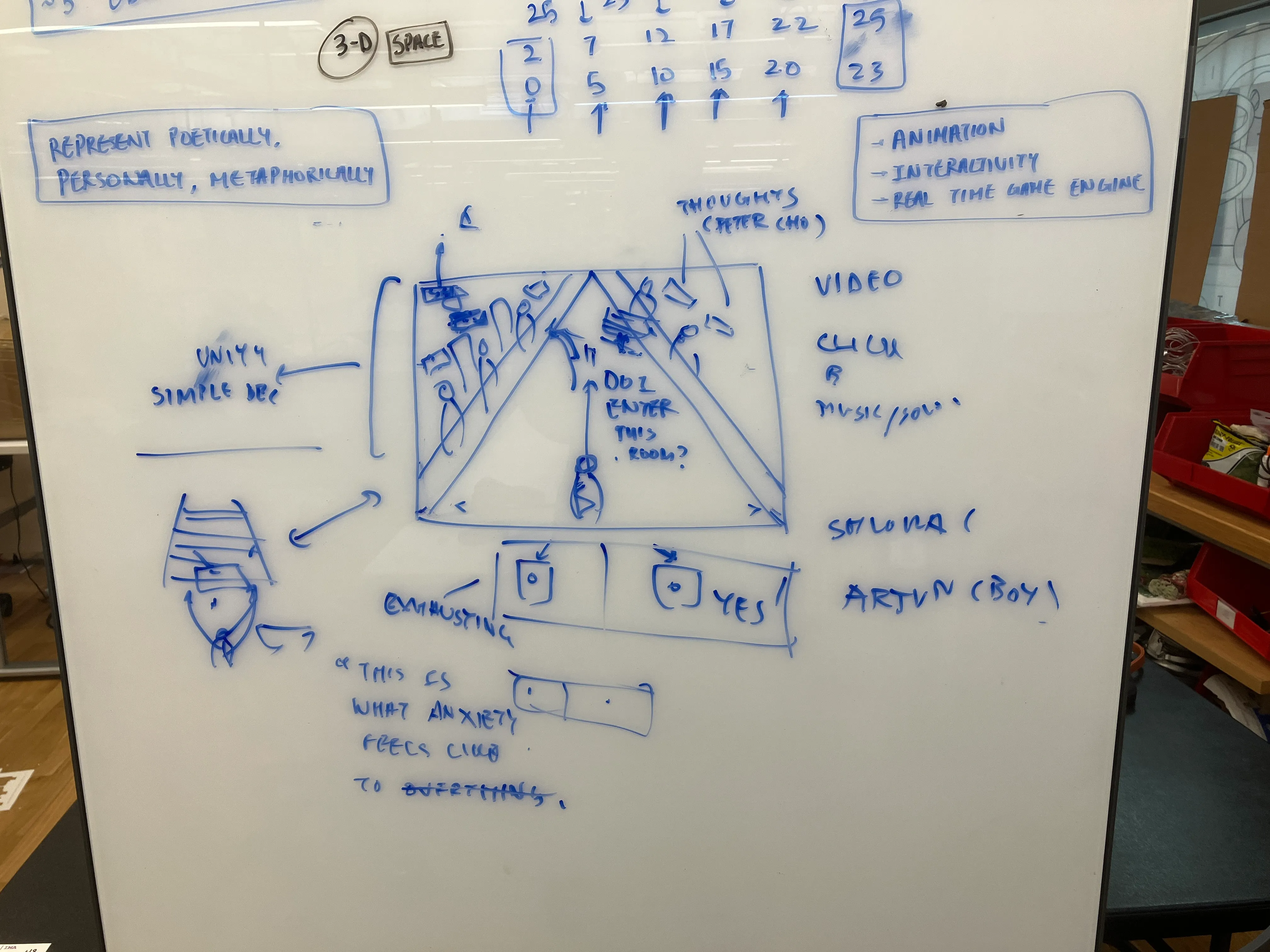
251118:
shloka had their own ideas that they were passionate about, and i didn’t want to stop their curiosity. we failed to find a mutual overlap of interest, and, so, i decided to make my own project.
i wanted to work with memory — especially what happens to memory when it isn’t refreshed (and how we begin constructing versions of memories that, perhaps, weren’t real). specifically:
my father left me & my mother when i was 19. we haven’t spoken in the last 5 years.
i have media on my hard-drive that show me close to my father; but i can’t recall those memories, because we are estranged in reality. as time passes, i’m beginning to forget what he looked like, how he talked and how he behaved. on one side, that’s good — i’m finally beginning to let go. but on the other, as i’ve come to realise lately, parts of me would desperately like us to meet & for me to preserve those memories in their original shape.
i wonder whether that’s happening to him too — the removal of me from his existence, and from the memories of us.
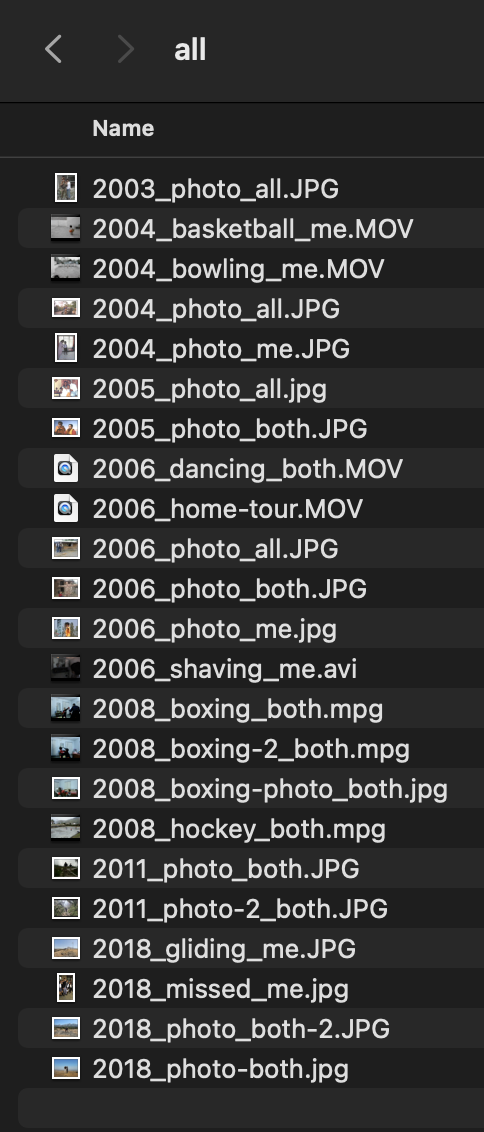
so, i collected old media from different time periods.
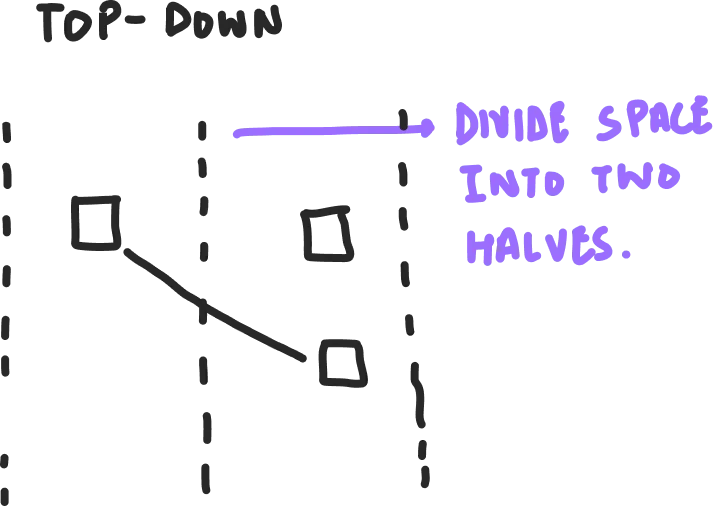
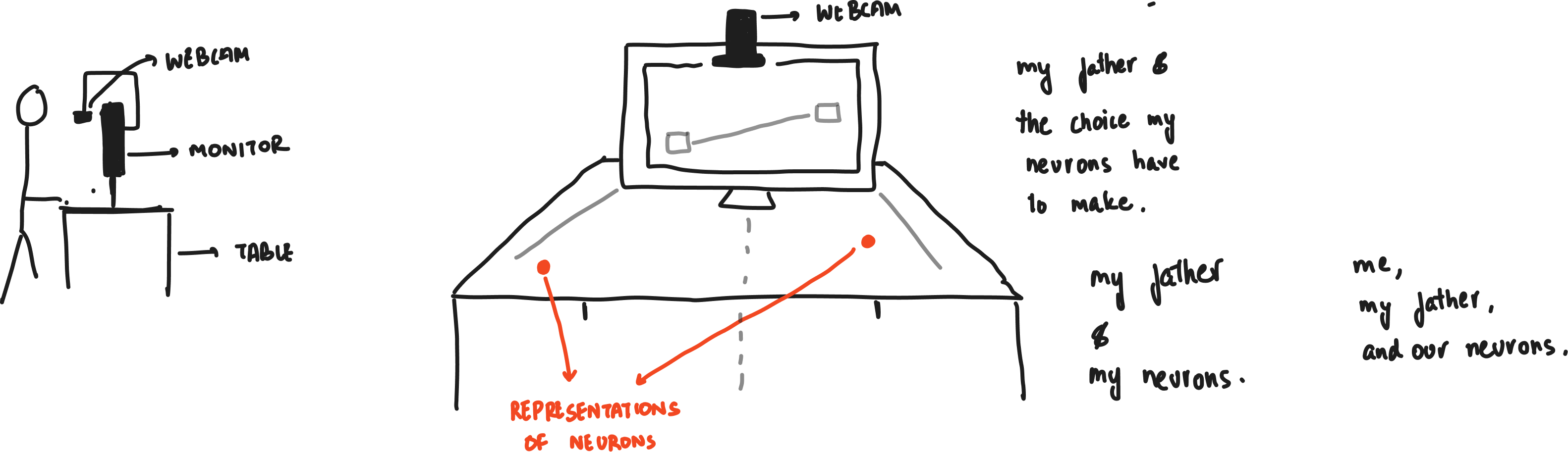
the idea was to use physical objects — such as a cube — to divide a space into two halves.
on the right side would be a memory that my father might have (with my face removed or in the process of being removed), while on the left, it would be the same memory with my side (father being blurred).
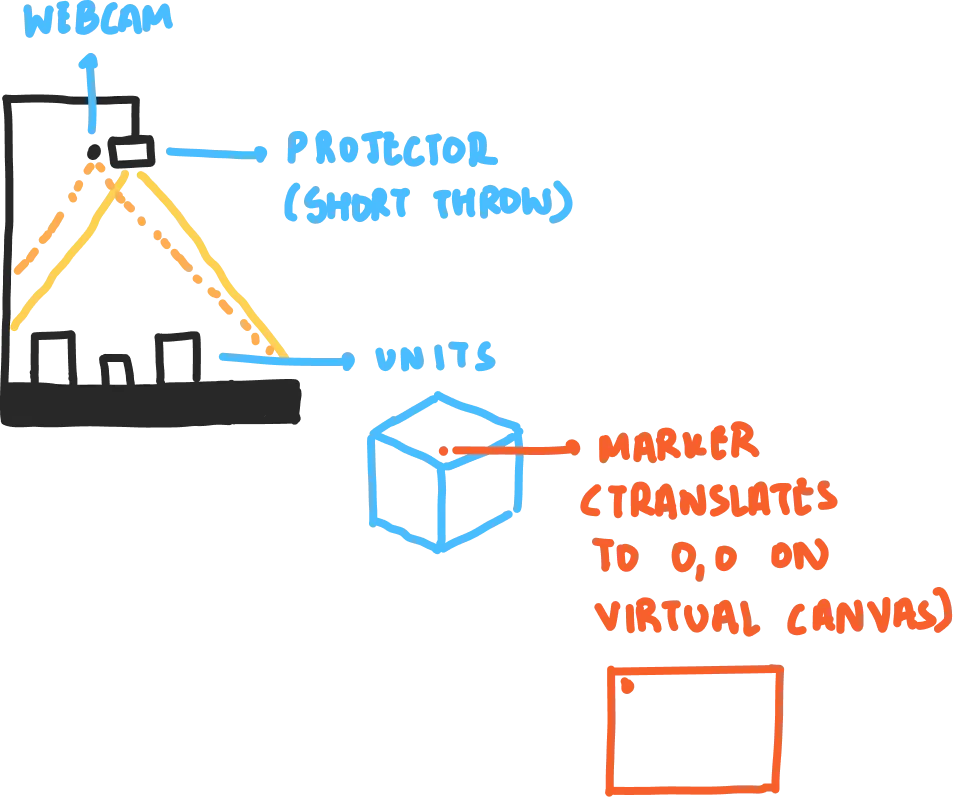
as they get closer, the blurriness would reduce.
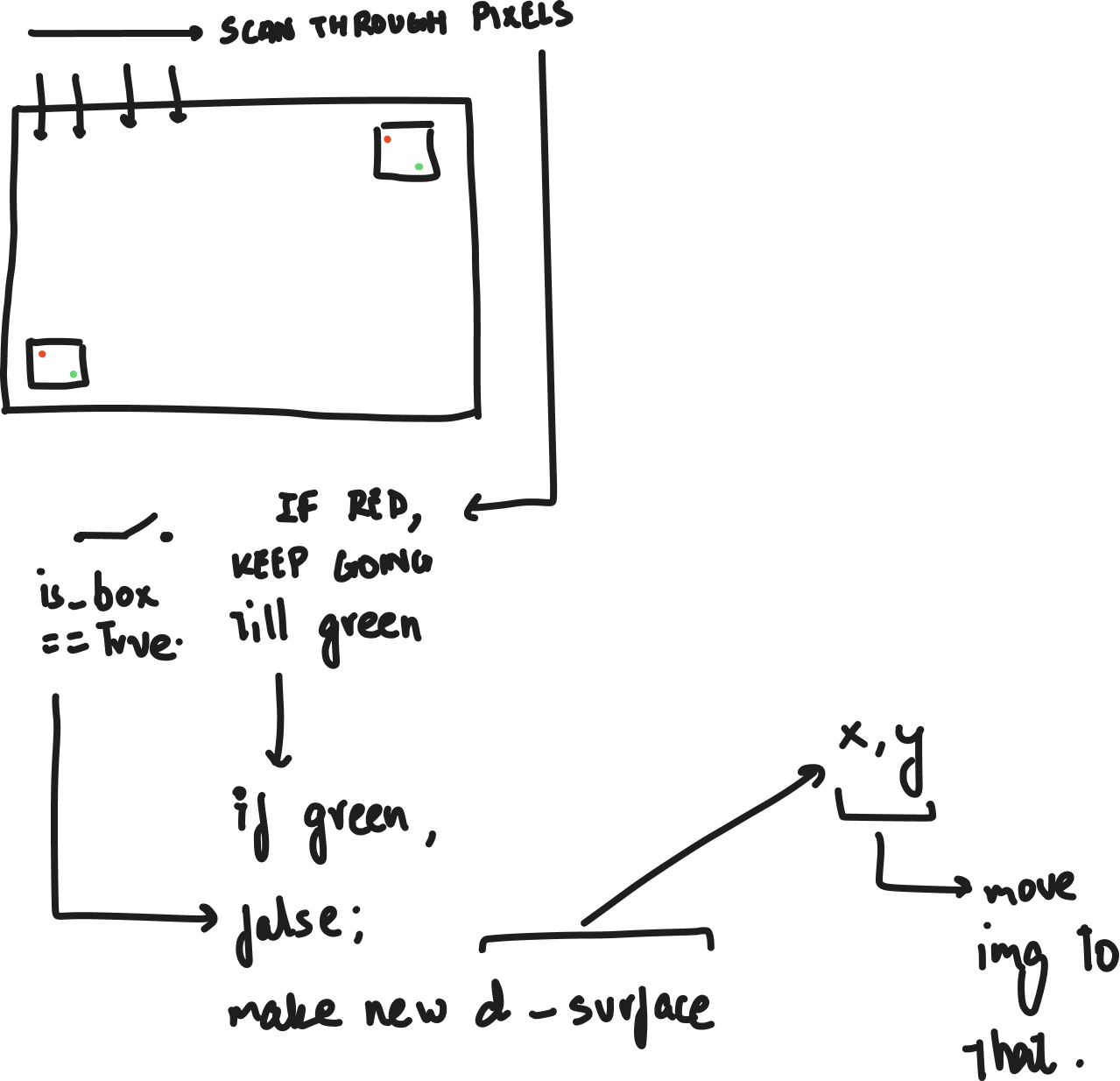
i thought about how i would detect the faces, and what i could do. it can’t be a pre-created video (like runway), and it needs to detect the faces and blur / manipulate them, somehow, live.
i spent time thinking of the algorithm; also spoke with mimi.
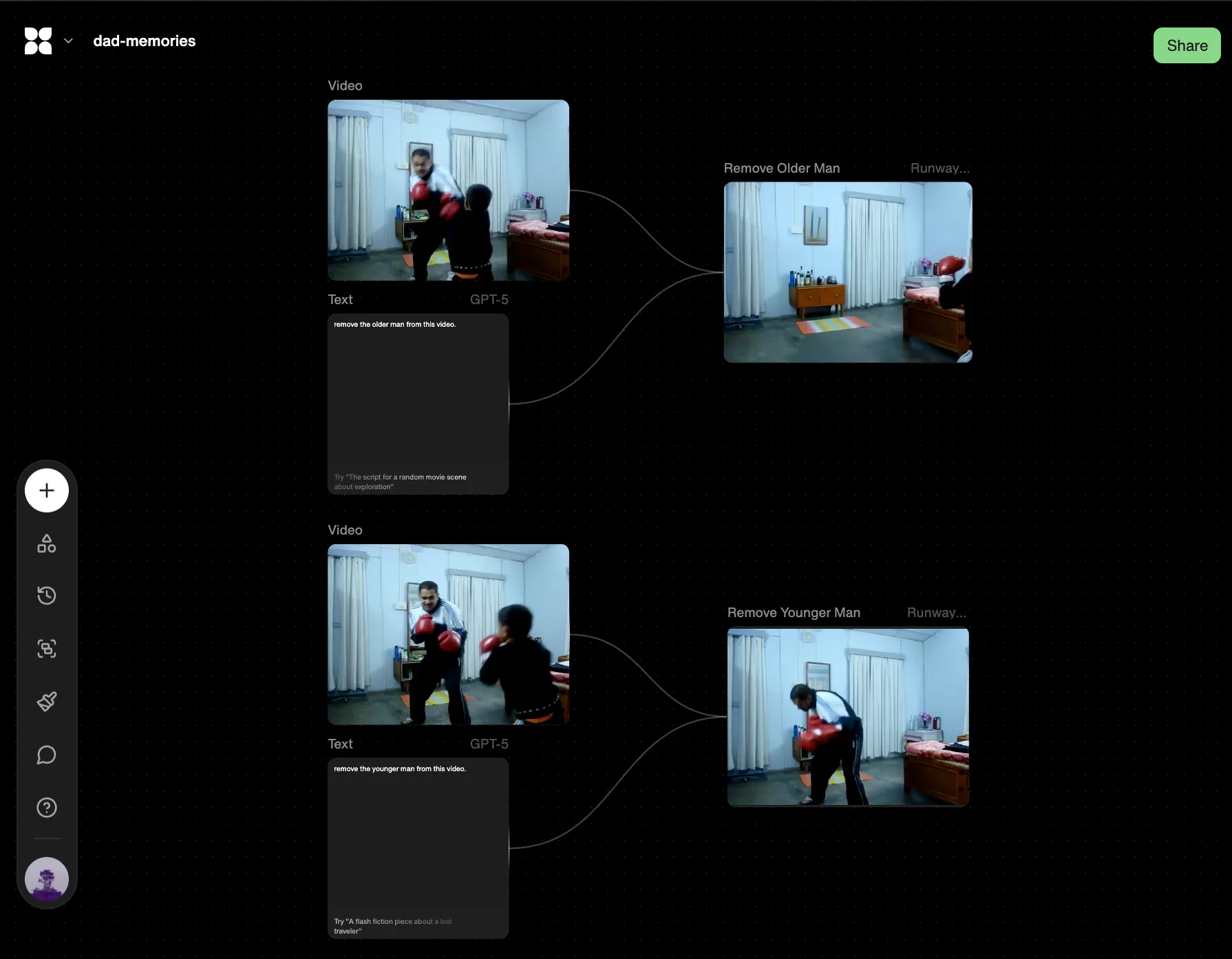
i then used flora to create my video assets.
i used a maximum value detection to keep track of the blobs. to make the media is controlled even with human-interaction, i need to make sure that the maximum value (whether colour, saturation, brightness — whatever) is emitted from my object and not from a person interacting with the object.
//blob detection; november, 2025.

let cam;

let cw = 1280;
let ch = 720;

function setup() {
  cam = createCapture(VIDEO, {flipped:true}, make_canvas);
  cam.hide();

  pixelDensity(1);
  noStroke();
}
function make_canvas(){
  createCanvas(cam.width, cam.height);
}


function draw() {
  background(0);

  cam.loadPixels();

  detect();

  tint(255,50);
  image(cam, 0, 0);

   updatePixels();
}

let max_r = 0;
let max_r_index = 0;

let max_g = 0;
let max_g_index = 0;

function detect() {
  //every frame, find the location of the highest colour values.

  max_r = 0;
  max_r_index = 0;
  max_g = 0;
  max_g_index = 0;

  for (let i = 0; i < cam.pixels.length; i += 4) {
    let r = cam.pixels[i];
    let g = cam.pixels[i+1];

    if (r>max_r){
      max_r = r;
      max_r_index = i;
    }

    if (g > max_g) {
      max_g = g;
      max_g_index = i;
    }
  }

  //draw rectangle wherever that is.
  let pos = get_coordinates(max_r_index);

  rect (pos.x, pos.y, 50,50);

  console.log(max_r, max_g);
}

//helper to convert from pixels array to x, y.
function get_pixel_index(x, y) {
  return (y * cam.width + x) * 4;
}

function get_coordinates(n) {
  let pixel_number = n / 4;

  let x = pixel_number % cam.width;
  let y = Math.floor(pixel_number / cam.width);

  return { x, y };
}

class Unit {}
later, i tried brightness detection too, but decided against it (since the maximum brightness p5 would give me was 100; which collided with reflections (and i was going to project media; so)).
even with a red threshold of 200, it was still detecting other things from my video feed:
//blob detection; november, 2025.

let cam;

let my_memories = [];
let dad_memories = [];

let units = []; //keep track of how many units are on the area.

function preload() {
  my_memories[0] = createVideo("./assets/media/my-memories/0.mp4");
  dad_memories[0] = createVideo("./assets/media/dad-memories/0.mp4");

  for (let i = 0; i < my_memories.length; i++) {
    my_memories[i].hide();
    dad_memories[i].hide();
  }
}

function setup() {
  cam = createCapture(VIDEO, { flipped: true }, make_canvas);
  cam.hide();

  pixelDensity(1);
}
function make_canvas() {
  createCanvas(cam.width, cam.height);
}

function draw() {
  background(0);

  cam.loadPixels();

  detect();

  //tint(255,20);
  //image(cam, 0, 0);

  // updatePixels();

  for (let unit of units) {
    unit.show();
  }
}

let threshold = 200;

function detect() {
  for (let i = 0; i < cam.pixels.length; i+=4) {
    if (cam.pixels[i] > threshold) {
      let pos = get_coordinates(i);
      rect(pos.x, pos.y, 20, 20);
    }
  }
}

//helper to convert from pixels array to x, y.
function get_pixel_index(x, y) {
  return (y * cam.width + x) * 4;
}

function get_coordinates(n) {
  let pixel_number = n / 4;

  let x = pixel_number % cam.width;
  let y = Math.floor(pixel_number / cam.width);

  return { x, y };
}

//each unit has a media file that it loops, a position on the screen

class Unit {
  constructor(x, y, file) {
    this.x = x;
    this.y = y;
    this.file = file;
  }

  show() {
    image(this.file, this.x, this.y, 50, 50);
  }
}
realised why. cleaned it up.
watched shiffman’s videos on computer vision playlist to build a better blob detection algorithm. averaged positions, and so on:
//blob detection; november, 2025.

let cam;
let col_to_detect = {
  r: 0,
  g: 0,
  b: 0,
};

let threshold = 10;

function setup() {
  cam = createCapture(VIDEO, { flipped: true }, make_canvas);
  cam.hide();

  pixelDensity(1);

  noStroke();
}
function make_canvas() {
  createCanvas(cam.width, cam.height);
}

function draw() {
  background(0);

  cam.loadPixels();

  detect();

  tint(255, 100);
  image(cam, 0, 0);
}

function detect() {
  let avg_x = 0;
  let avg_y = 0;
  let count = 0;

  for (let x = 0; x < cam.width; x++) {
    for (let y = 0; y < cam.height; y++) {
      let n = (y * cam.width + x) * 4;
      //go over every single pixel, and see if it matches colour.

      let pr = cam.pixels[n];
      let pg = cam.pixels[n + 1];
      let pb = cam.pixels[n + 2];

      //color difference:
      let dr = abs(pr - col_to_detect.r);
      let dg = abs(pg - col_to_detect.g);
      let db = abs(pb - col_to_detect.b);

      if (dr < threshold && dg < threshold && db < threshold) {
        //this means that this point is roughly the same colour.
        avg_x += x;
        avg_y += y;
        count++;
      }
    }
  }

  //when counting for all pixels is done, draw a point at the average location.
  strokeWeight(1);
  stroke(255);

  if (count > 0) {
    let x = avg_x / count;
    let y = avg_y / count;

    point(x, y);
  }
}

function mousePressed() {
  cam.loadPixels();
  let n = get_pixel_index(mouseX, mouseY);

  col_to_detect.r = cam.pixels[n];
  col_to_detect.g = cam.pixels[n + 1];
  col_to_detect.b = cam.pixels[n + 2];
}

// helpers:
//helper to convert from pixels array to x, y.
function get_pixel_index(x, y) {
  return (y * cam.width + x) * 4;
}

//helper to convert from x, y to pixel index.
function get_coordinates(n) {
  let pixel_number = n / 4;

  let x = pixel_number % cam.width;
  let y = Math.floor(pixel_number / cam.width);

  return { x, y };
}
kinda works.
this is enough for a minimum test with the projector, which i shall do today. then, i will resolve the multiple blob tracks, division of space (and subsequent allocation of video), and blurring between different videos (which i have cracked separately).
251129:
figured out the setup.
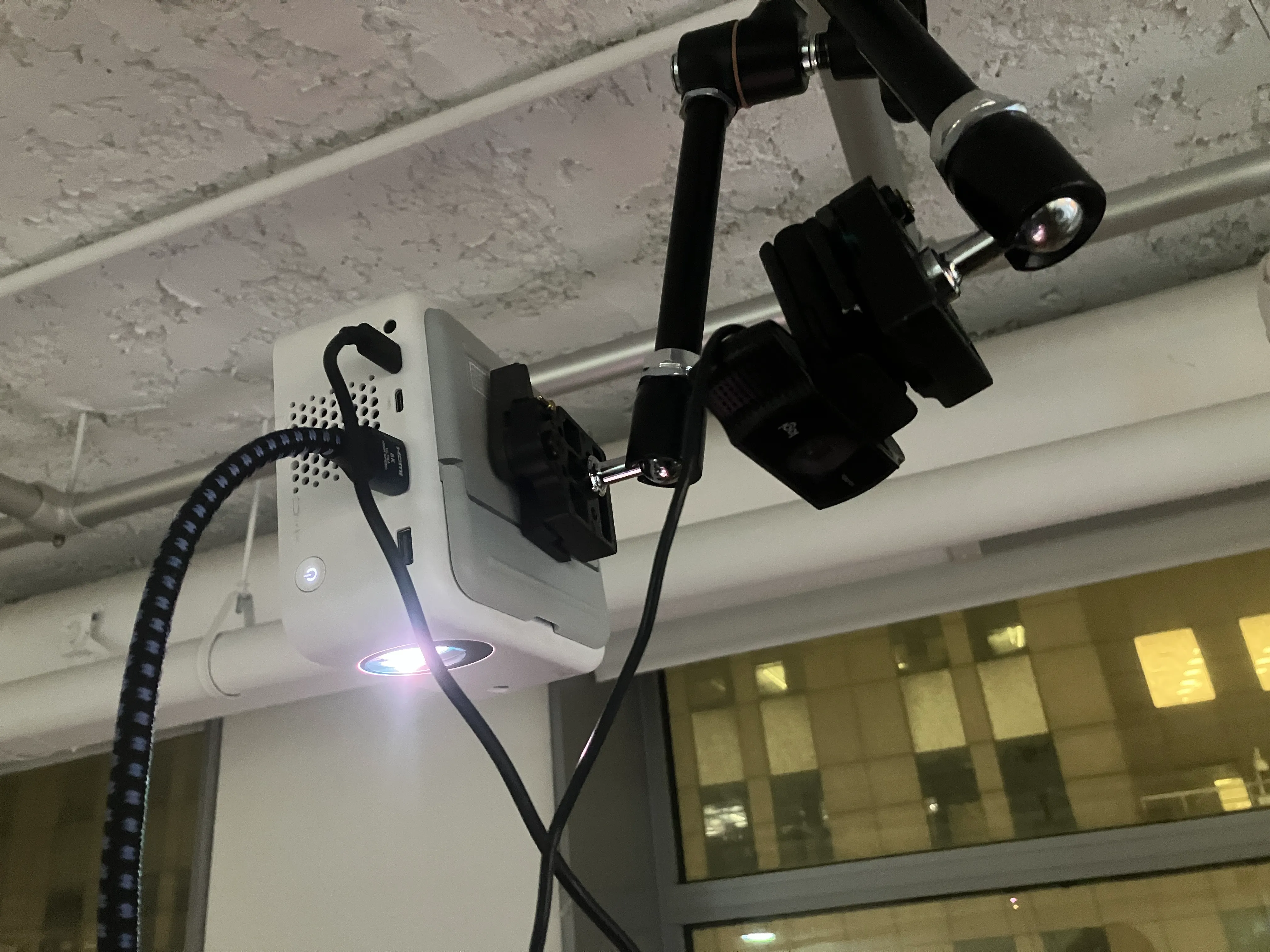
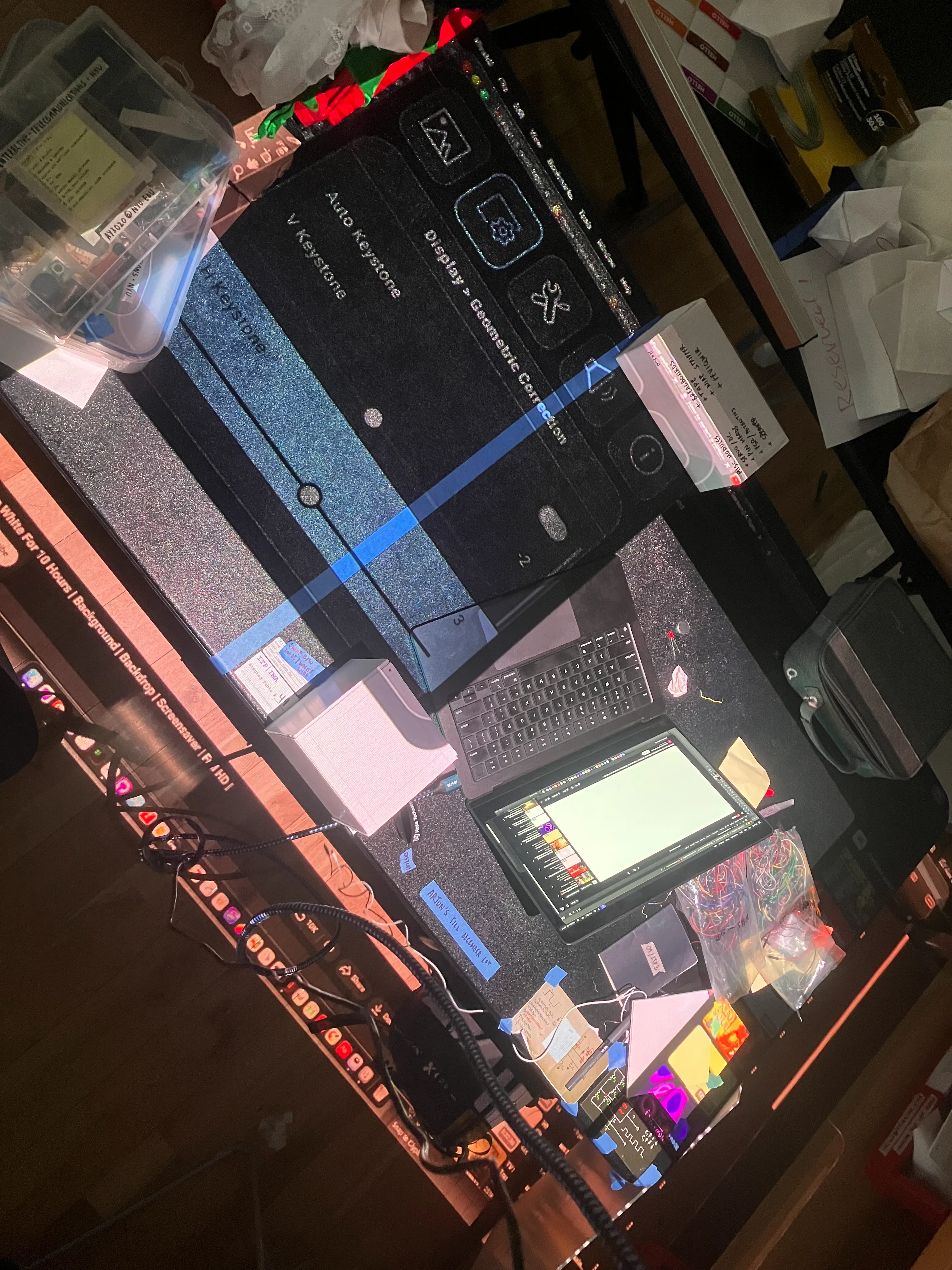
basic program works.
however, ran into a problem with scaling.
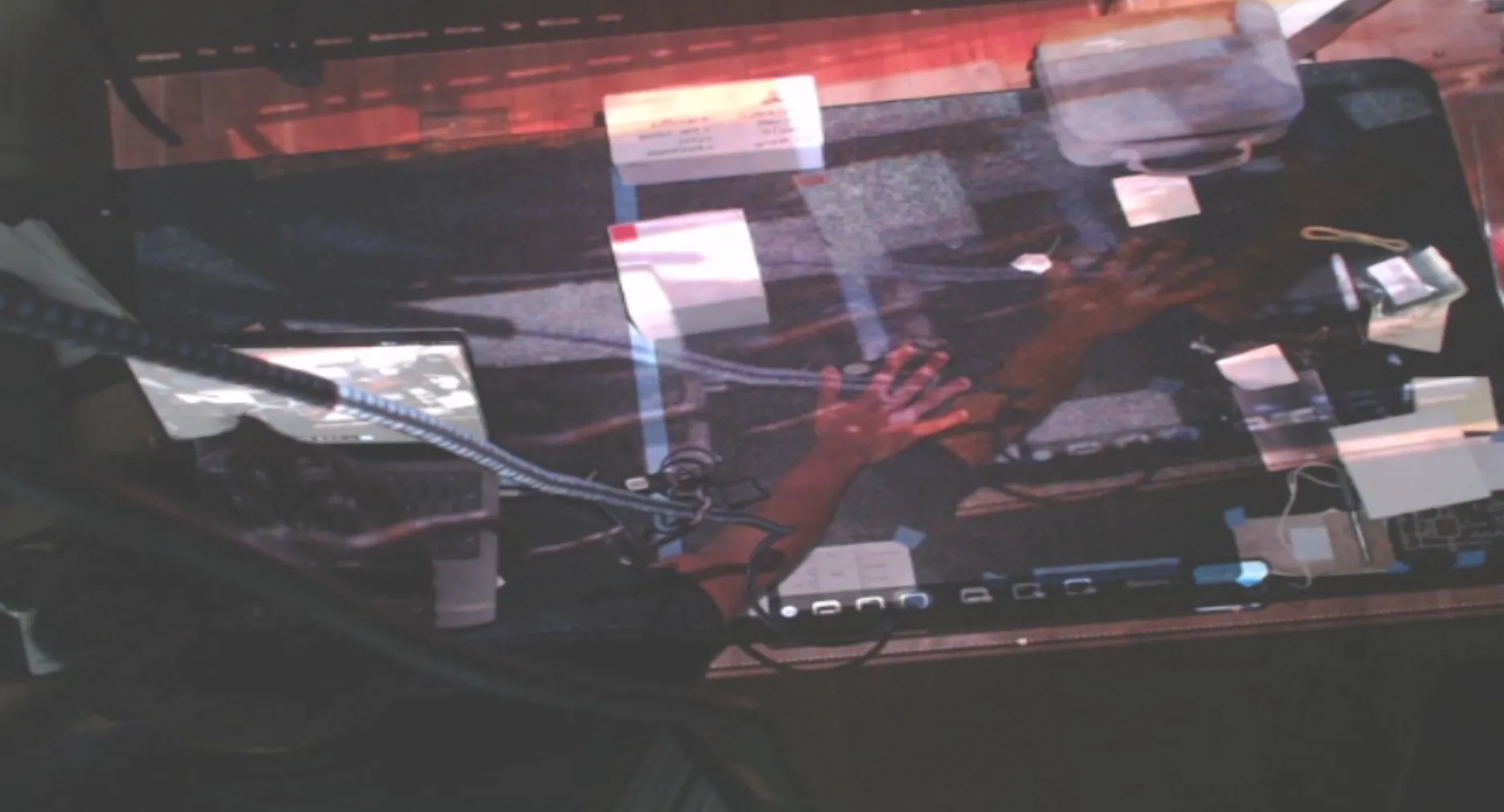
my guess is that i’ll have to do some sort of matrix transformation to get the two (output & input) to line up.
ran into more problems.
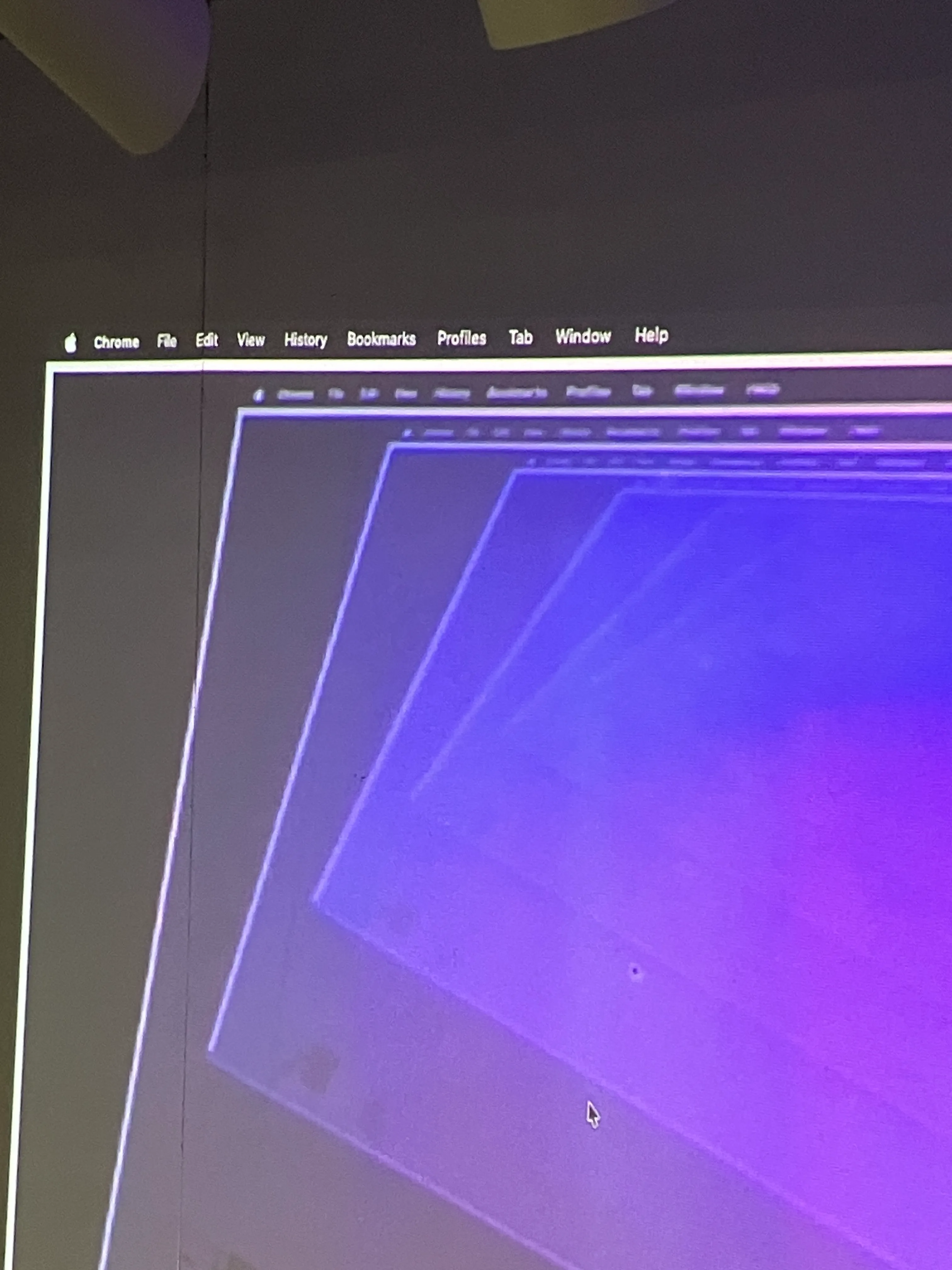
then, tried to project the image according to markers that it sees, so as to get some coordinate system for the webcam.
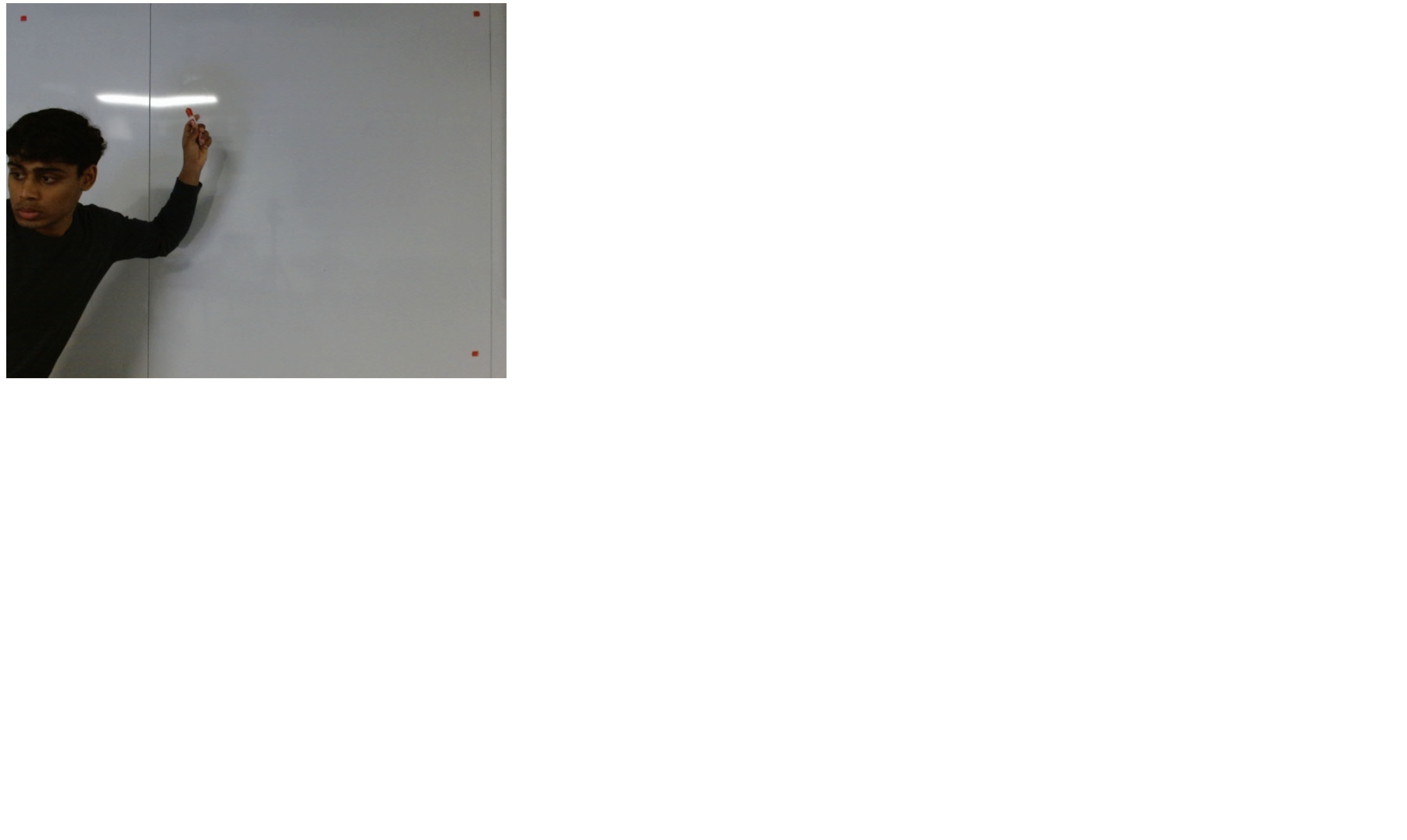
i couldn’t understand it only. booked an appointment with mimi tomorrow. no point breaking my head over this right now.
251203:
i spent a long time trying to debug this. i couldn’t get it to work.
my program works in isolation, if i don’t scale up the webcam.
i also managed to scale up the webcam with scaling & translation, but then the placement of my units got messed up.
solved the scaling problem!
now, i may have a little bit of distortion, because the video input may not exactly be 1920x1080. but let’s see.
code:
//blob detection; november, 2025.

let cam;
let col_to_detect = {
  r: 0,
  g: 0,
  b: 0,
};

let threshold = 10; //threshold for colour detection to account for lighting.

let dist_between_units = 500;

let units = [];

let has_clicked = false; //to account for first time values being black (and messing up the program).

let my_memories = [];
let dad_memories = [];

let scaler = 6;

let col_selected = false;

function preload() {
  my_memories[0] = createVideo("./assets/media/my-memories/0.mp4");
  dad_memories[0] = createVideo("./assets/media/dad-memories/0.mp4");

  for (let i = 0; i < my_memories.length; i++) {
    my_memories[i].hide();
    dad_memories[i].hide();
  }
}

function setup() {
  cam = createCapture(VIDEO, {flipped:true}, make_canvas);
  cam.hide();

  pixelDensity(1);

  noStroke();
}

function make_canvas() {
  createCanvas(2000, windowHeight);
}

// function canv_to_asp() {
//   let asp_ratio = cam.height / cam.width;

//   let wh = windowWidth * asp_ratio;

//   createCanvas(windowWidth, wh);
// }

function draw() {
  background(0);

  cam.loadPixels();

  if (has_clicked == true) {
    detect();
  }

  // tint(255, 200);
  //  image(cam, 0, 0, width, height, 100, 0, cam.width, cam.height);

  (!col_selected) ? image (cam, 0,0) : image(cam,0,0,width,height);

  for (let unit of units) {
    unit.display();
  }

  // text (mouseX + "," + mouseY, mouseX, mouseY);

  draw_registration_for_canvas();
}

function draw_registration_for_canvas() {
  push();
  fill(0, 255, 0);
  rect(0, 0, 50, 50);
  rect(0, height - 50, 50, 50);
  rect(width - 50, 0, 50, 50);
  rect(width - 50, height - 50, 50, 50);
  pop();
}

function detect() {
  let avg_x = 0;
  let avg_y = 0;
  let count = 0;

  for (let x = 0; x < cam.width; x++) {
    for (let y = 0; y < cam.height; y++) {
      let n = (y * cam.width + x) * 4;
      //go over every single pixel, and see if it matches colour.

      let pr = cam.pixels[n];
      let pg = cam.pixels[n + 1];
      let pb = cam.pixels[n + 2];

      //color difference:
      let dr = abs(pr - col_to_detect.r);
      let dg = abs(pg - col_to_detect.g);
      let db = abs(pb - col_to_detect.b);

      let desired = false;

      if (dr < threshold && dg < threshold && db < threshold) {
        //this means that this point is roughly the same colour.
        desired = true;
      }

      if (desired) {
        //check if another unit already has this in the past:

        rect (x, y, 50,50);

        if (units.length < 1) {
          //no units have been created, make a unit.
          units.push(new Unit(x, y, my_memories[0]));
        }

        for (let i = 0; i < units.length; i++) {
          let d = dist(x, y, units[i].x, units[i].y);

          if (d > dist_between_units) {
            //it's a new unit.
            units.push(new Unit(x, y, my_memories[0]));
            break;
          } else {
            //it's an old unit.
            units[i].update(x, y);
            break;
          }
        }
      }
    }
  }
}

function mousePressed() {
  has_clicked = true;

  cam.loadPixels();

  let corrected_x = map(mouseX, 0, width, 0, cam.width);
  let corrected_y = map(mouseY, 0, height, 0, cam.height);

  let n = get_pixel_index(mouseX, mouseY);

  col_to_detect.r = cam.pixels[n];
  col_to_detect.g = cam.pixels[n + 1];
  col_to_detect.b = cam.pixels[n + 2];

  col_selected=true;
}

// helpers:
//helper to convert from pixels array to x, y.
function get_pixel_index(x, y) {
  return (y * cam.width + x) * 4;
}

//helper to convert from x, y to pixel index.
function get_coordinates(n) {
  let pixel_number = n / 4;

  let x = pixel_number % cam.width;
  let y = Math.floor(pixel_number / cam.width);

  return { x, y };
}

class Unit {
  constructor(x, y, file) {
    this.x = x;
    this.y = y;
    this.w = 50;
    this.h = 50;

    this.file = file; //placeholder to store video file later.

    this.file.loop(); //always loop.

    this.scaled_x = map(this.x, 0, cam.width, 0, width);
    this.scaled_y = map(this.y, 0, cam.height, 0, height);
  }

  display() {
    // fill(255);
    // rect(this.x, this.y, this.w, this.h);

    image(this.file, this.scaled_x, this.scaled_y, this.w, this.h);
  }

  update(x, y) {
    this.scaled_x = map(x, 0, cam.width, 0, width);
    this.scaled_y = map(y, 0, cam.height, 0, height);
  }
}
i’ve spent way too many nights trying to get the three elements to line up. they don’t.
i know i can solve it, but i don’t have enough time right now. every time i try to move the camera, the projector gets messed up. then i have to spend time aligning the two.
it’s not worth the time right now for me.
so, i pivoted to a scaled down version.
pivot sketch:
i spent another night trying to figure out a better algorithm. failed.
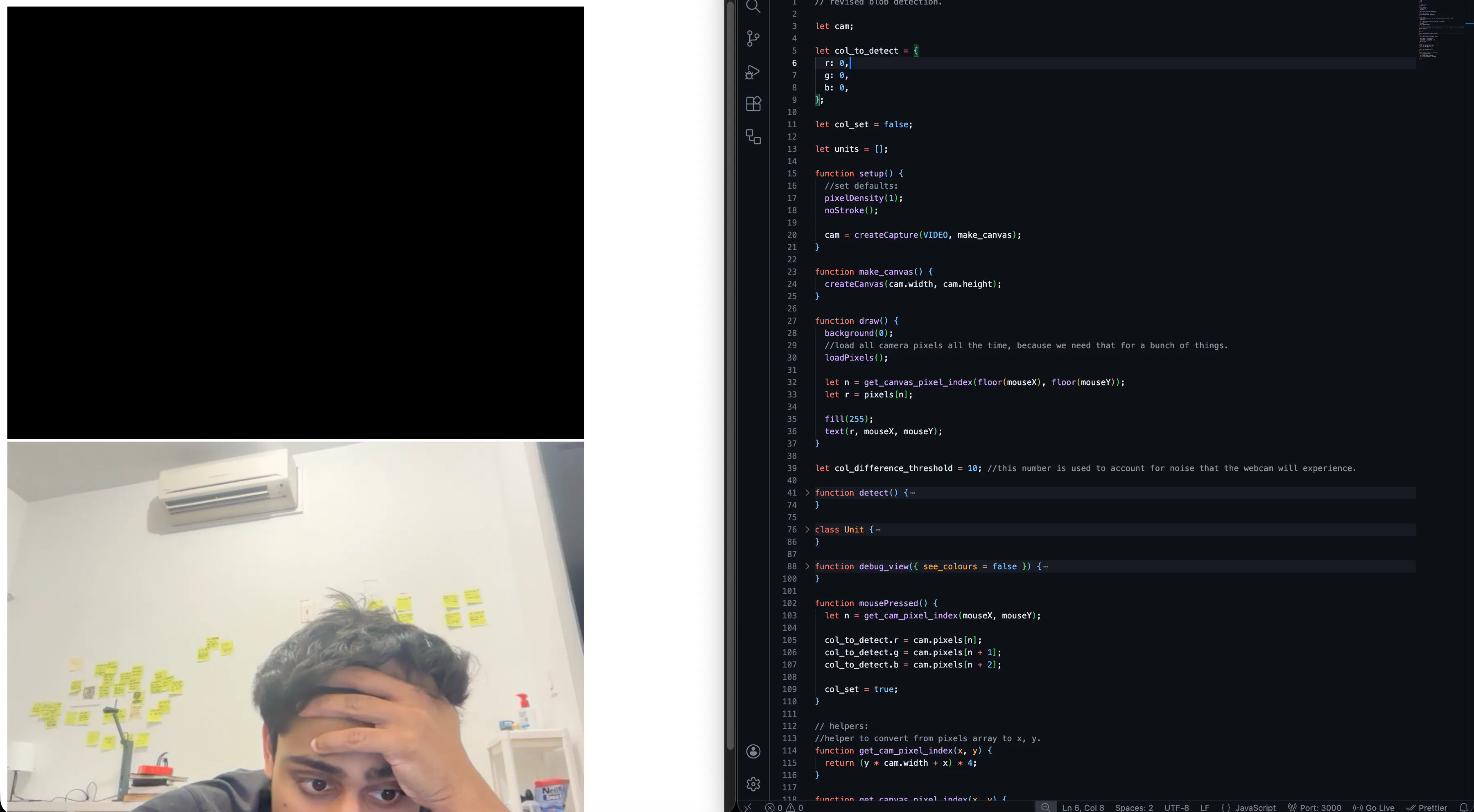
i’ll get there.
today, in class, emilia made a comment that “arjun doesn’t use ai”, and ana scoffed. everyone thinks that i do it to “be a purist”, or to “act better than others who do”, but that’s not it.
i came to itp to learn the mediums that i am going to use in my work & life. making chat-gpt write my code will not allow me to understand the essence of code — my work will, then, remain shallow, because i would’ve spent my time chasing outcomes here. i will never arrive at something interesting.
so, i will choose not to make the next big thing, and compromise outcome-quality over learning.
cracked a better algorithm.
will try to use the average position tracking now, to avoid the jumpiness.
yes!
// revised blob detection.

let cam;

let units = [];

let clicked = false;

function setup() {
  //set defaults:
  pixelDensity(1);
  noStroke();

  cam = createCapture(VIDEO, canv_to_asp);
  cam.hide();
}

function canv_to_asp() {
  let asp_ratio = cam.height / cam.width;

  let wh = windowWidth * asp_ratio;

  createCanvas(windowWidth, wh);
}

function draw() {
  background(0);

  //i wanted to use a tertiary operator, but it just works differently and causes an error in my program.
  if (!col_set) {
    set_colour();
  } else {
    detect();
    image(cam, 0, 0, width, height);
  }

  for (unit of units) {
    unit.display();
  }
  text(mouseX + "," + mouseY, mouseX, mouseY);
}

let col_to_detect = {
  r: 0,
  g: 0,
  b: 0,
};

let col_set = false;

function set_colour() {
  image(cam, 0, 0, width, height);

  loadPixels();

  let n = get_canvas_pixel_index(floor(mouseX), floor(mouseY));

  let r = pixels[n];

  fill(255);
  text(r, mouseX, mouseY);

  if (clicked == true) {
    col_to_detect.r = pixels[n];
    col_to_detect.g = pixels[n + 1];
    col_to_detect.b = pixels[n + 2];

    col_set = true;
  }
}

let col_difference_threshold = 40; //this number is used to account for noise that the webcam will experience.

let required_distance = 200; //required distance before a pixel is considered a new unit.

function detect() {
  cam.loadPixels();

  // Prepare a temporary array to accumulate positions for averaging
  let unit_accumulators = units.map(() => ({ sum_x: 0, sum_y: 0, count: 0 }));

  for (let x = 0; x < cam.width; x++) {
    for (let y = 0; y < cam.height; y++) {
      let n = (y * cam.width + x) * 4;

      let pr = cam.pixels[n];
      let pg = cam.pixels[n + 1];
      let pb = cam.pixels[n + 2];

      let dr = abs(pr - col_to_detect.r);
      let dg = abs(pg - col_to_detect.g);
      let db = abs(pb - col_to_detect.b);

      //if the colour does not match, skip this iteration and move on to the next iteration.
      if (dr > col_difference_threshold || dg > col_difference_threshold || db > col_difference_threshold) continue;

      //if the code has progressed, it means that this is a pixel we care about.

      //first, we scale the coordinates of this pixel to canvas-space.
      let scaled_x = map(x, 0, cam.width, 0, width);
      let scaled_y = map(y, 0, cam.height, 0, height);

      //assume positively: this is a brand new blob.
      let this_has_a_unit = false;

      for (let i = 0; i < units.length; i++) {
        let unit = units[i];

        let d = dist(scaled_x, scaled_y, unit.scaled_x, unit.scaled_y);

        if (d < required_distance) {
          // accumulate positions for averaging
          unit_accumulators[i].sum_x += scaled_x;
          unit_accumulators[i].sum_y += scaled_y;
          unit_accumulators[i].count++;
          this_has_a_unit = true;

          break; // stop checking other units
        }
      }

      //if after all the loops, it is still considered a new position, we make a new unit.
      if (!this_has_a_unit) {
        units.push(new Unit(x, y));
        // add new accumulator for averaging
        unit_accumulators.push({ sum_x: map(x, 0, cam.width, 0, width), sum_y: map(y, 0, cam.height, 0, height), count: 1 });
      }
    }
  }

  // Update units to average positions
  for (let i = 0; i < units.length; i++) {
    if (unit_accumulators[i].count > 0) {
      let avg_x = unit_accumulators[i].sum_x / unit_accumulators[i].count;
      let avg_y = unit_accumulators[i].sum_y / unit_accumulators[i].count;
      units[i].update(avg_x, avg_y);
    }
  }

  double_check();
}

function double_check() {
  for (let i = 0; i < units.length; i++) {
    //units have a scaled-x and scaled-y. we unscale them first.

    let cam_scale_x = map(units[i].scaled_x, 0, width, 0, cam.width);
    let cam_scale_y = map(units[i].scaled_y, 0, height, 0, cam.height);

    let cam_pixel_index = get_cam_pixel_index(floor(cam_scale_x), floor(cam_scale_y));

    let pr = cam.pixels[cam_pixel_index];
    let pg = cam.pixels[cam_pixel_index + 1];
    let pb = cam.pixels[cam_pixel_index + 2];

    let dr = abs(pr - col_to_detect.r);
    let dg = abs(pg - col_to_detect.g);
    let db = abs(pb - col_to_detect.b);

    //if the colour does not match, skip this iteration and move on to the next iteration.
    if (dr > col_difference_threshold || dg > col_difference_threshold || db > col_difference_threshold) {
      //not our colour.
      units.splice(i,1);
    } else {
      //our colour:
      continue;
    }
  }
}

class Unit {
  constructor(x, y) {
    this.x = x;
    this.y = y;

    this.scaled_x = map(this.x, 0, cam.width, 0, width);
    this.scaled_y = map(this.y, 0, cam.height, 0, height);

    this.w = 10;
    this.h = 10;
  }

  display() {
    fill(255);
    rect(this.scaled_x, this.scaled_y, this.w, this.h);
  }

  update(x, y) {
    this.scaled_x = x;
    this.scaled_y = y;
  }
}

function mousePressed() {
  clicked = true;
}

// helpers:
//helper to convert from pixels array to x, y.
function get_cam_pixel_index(x, y) {
  return (y * cam.width + x) * 4;
}

function get_canvas_pixel_index(x, y) {
  return (y * width + x) * 4;
}

//helper to convert from x, y to pixel index.
function get_coordinates(n) {
  let pixel_number = n / 4;

  let x = pixel_number % cam.width;
  let y = floor(pixel_number / cam.width);

  return { x, y };
}
// revised blob detection.
let cam;
let units = [];
let clicked = false;
//memories:
let my_memories = [];
let dad_memories = [];
function preload() {
my_memories[0] = createVideo("./assets/media/my-memories/0.mp4");
dad_memories[0] = createVideo("./assets/media/dad-memories/0.mp4");
for (let i = 0; i < my_memories.length; i++) {
my_memories[i].hide();
dad_memories[i].hide();
}
}
function setup() {
//set defaults:
pixelDensity(1);
noStroke();
cam = createCapture(VIDEO, canv_to_asp);
cam.hide();
}
function canv_to_asp() {
let asp_ratio = cam.height / cam.width;
let wh = windowWidth * asp_ratio;
createCanvas(windowWidth, wh);
}
function draw() {
background(0);
//i wanted to use a tertiary operator, but it just works differently and causes an error in my program.
if (!col_set) {
set_colour();
} else {
detect();
image(cam, 0, 0, width, height);
}
for (unit of units) {
unit.display();
}
}
let col_to_detect = {
r: 0,
g: 0,
b: 0,
};
let col_set = false;
function set_colour() {
image(cam, 0, 0, width, height);
loadPixels();
let n = get_canvas_pixel_index(floor(mouseX), floor(mouseY));
let r = pixels[n];
fill(255);
text(r, mouseX, mouseY);
if (clicked == true) {
col_to_detect.r = pixels[n];
col_to_detect.g = pixels[n + 1];
col_to_detect.b = pixels[n + 2];
col_set = true;
}
}
let col_difference_threshold = 30; //this number is used to account for noise that the webcam will experience.
let required_distance = 300; //required distance before a pixel is considered a new unit.
function detect() {
cam.loadPixels();
// Prepare a temporary array to accumulate positions for averaging
let unit_accumulators = units.map(() => ({ sum_x: 0, sum_y: 0, count: 0 }));
for (let x = 0; x < cam.width; x++) {
for (let y = 0; y < cam.height; y++) {
let n = (y * cam.width + x) * 4;
let pr = cam.pixels[n];
let pg = cam.pixels[n + 1];
let pb = cam.pixels[n + 2];
let dr = abs(pr - col_to_detect.r);
let dg = abs(pg - col_to_detect.g);
let db = abs(pb - col_to_detect.b);
//if the colour does not match, skip this iteration and move on to the next iteration.
if (dr > col_difference_threshold || dg > col_difference_threshold || db > col_difference_threshold) continue;
//if the code has progressed, it means that this is a pixel we care about.
//first, we scale the coordinates of this pixel to canvas-space.
let scaled_x = map(x, 0, cam.width, 0, width);
let scaled_y = map(y, 0, cam.height, 0, height);
//assume positively: this is a brand new blob.
let this_has_a_unit = false;
for (let i = 0; i < units.length; i++) {
let unit = units[i];
let d = dist(scaled_x, scaled_y, unit.scaled_x, unit.scaled_y);
if (d < required_distance) {
// accumulate positions for averaging
unit_accumulators[i].sum_x += scaled_x;
unit_accumulators[i].sum_y += scaled_y;
unit_accumulators[i].count++;
this_has_a_unit = true;
break; // stop checking other units
}
}
//if after all the loops, it is still considered a new position, we make a new unit.
if (!this_has_a_unit) {
//we want to push a new unit with a media file attached to it.
let n = 0; //placeholder for index of memories.
if (x < cam.width / 2) {
//our unit is in the left-half. make it pick from my memories.
units.push(new Unit(x, y, 0));
} else {
//in the right half. make it pick from dad's memories.
units.push(new Unit(x, y, 1));
}
// add new accumulator for averaging
unit_accumulators.push({ sum_x: map(x, 0, cam.width, 0, width), sum_y: map(y, 0, cam.height, 0, height), count: 1 });
}
}
}
// Update units to average positions
for (let i = 0; i < units.length; i++) {
if (unit_accumulators[i].count > 0) {
let avg_x = unit_accumulators[i].sum_x / unit_accumulators[i].count;
let avg_y = unit_accumulators[i].sum_y / unit_accumulators[i].count;
units[i].update(avg_x, avg_y);
}
}
double_check();
}
function double_check() {
for (let i = 0; i < units.length; i++) {
//units have a scaled-x and scaled-y. we unscale them first.
let cam_scale_x = map(units[i].scaled_x, 0, width, 0, cam.width);
let cam_scale_y = map(units[i].scaled_y, 0, height, 0, cam.height);
let cam_pixel_index = get_cam_pixel_index(floor(cam_scale_x), floor(cam_scale_y));
let pr = cam.pixels[cam_pixel_index];
let pg = cam.pixels[cam_pixel_index + 1];
let pb = cam.pixels[cam_pixel_index + 2];
let dr = abs(pr - col_to_detect.r);
let dg = abs(pg - col_to_detect.g);
let db = abs(pb - col_to_detect.b);
//if the colour does not match, skip this iteration and move on to the next iteration.
if (dr > col_difference_threshold || dg > col_difference_threshold || db > col_difference_threshold) {
//not our colour.
units.splice(i, 1);
} else {
//our colour:
continue;
}
}
}
class Unit {
constructor(x, y, brain) {
this.x = x;
this.y = y;
this.scaled_x = map(this.x, 0, cam.width, 0, width);
this.scaled_y = map(this.y, 0, cam.height, 0, height);
this.w = 100;
this.h = 100;
this.brain = brain;
this.main_file;
this.hidden_file;
this.tint_val_main = 0;
this.tint_val_hidden = 0;
if ((this.brain = 0)) {
let n = floor(random(my_memories.length));
this.main_file = my_memories[n];
this.hidden_file = dad_memories[n];
} else {
let n = floor(random(my_memories.length));
this.main_file = dad_memories[n];
this.hidden_file = my_memories[n];
}
this.main_file.loop();
this.hidden_file.loop();
}
display() {
// fill(255);
// rect(this.scaled_x, this.scaled_y, this.w, this.h);
this.tint_val_main = map(this.scaled_x, 0, width, 0, 255);
this.tint_val_hidden = map(this.scaled_x, 0, width, 255, 0);
push();
tint (255,this.tint_val_main);
image(this.main_file, this.scaled_x - this.w / 2, this.scaled_y - this.h / 2, this.w, this.h);
pop();
push();
tint(255, this.tint_val_hidden);
image(this.hidden_file, this.scaled_x - this.w / 2, this.scaled_y - this.h / 2, this.w, this.h);
pop();
// image(this.file, this.scaled_x - this.w / 2, this.scaled_y - this.h / 2, this.w, this.h);
}
update(x, y) {
this.scaled_x = x;
this.scaled_y = y;
}
}
function mousePressed() {
clicked = true;
}
// helpers:
//helper to convert from pixels array to x, y.
function get_cam_pixel_index(x, y) {
return (y * cam.width + x) * 4;
}
function get_canvas_pixel_index(x, y) {
return (y * width + x) * 4;
}
//helper to convert from x, y to pixel index.
function get_coordinates(n) {
let pixel_number = n / 4;
let x = pixel_number % cam.width;
let y = floor(pixel_number / cam.width);
return { x, y };
}
used the itp ml computer to generate my media.
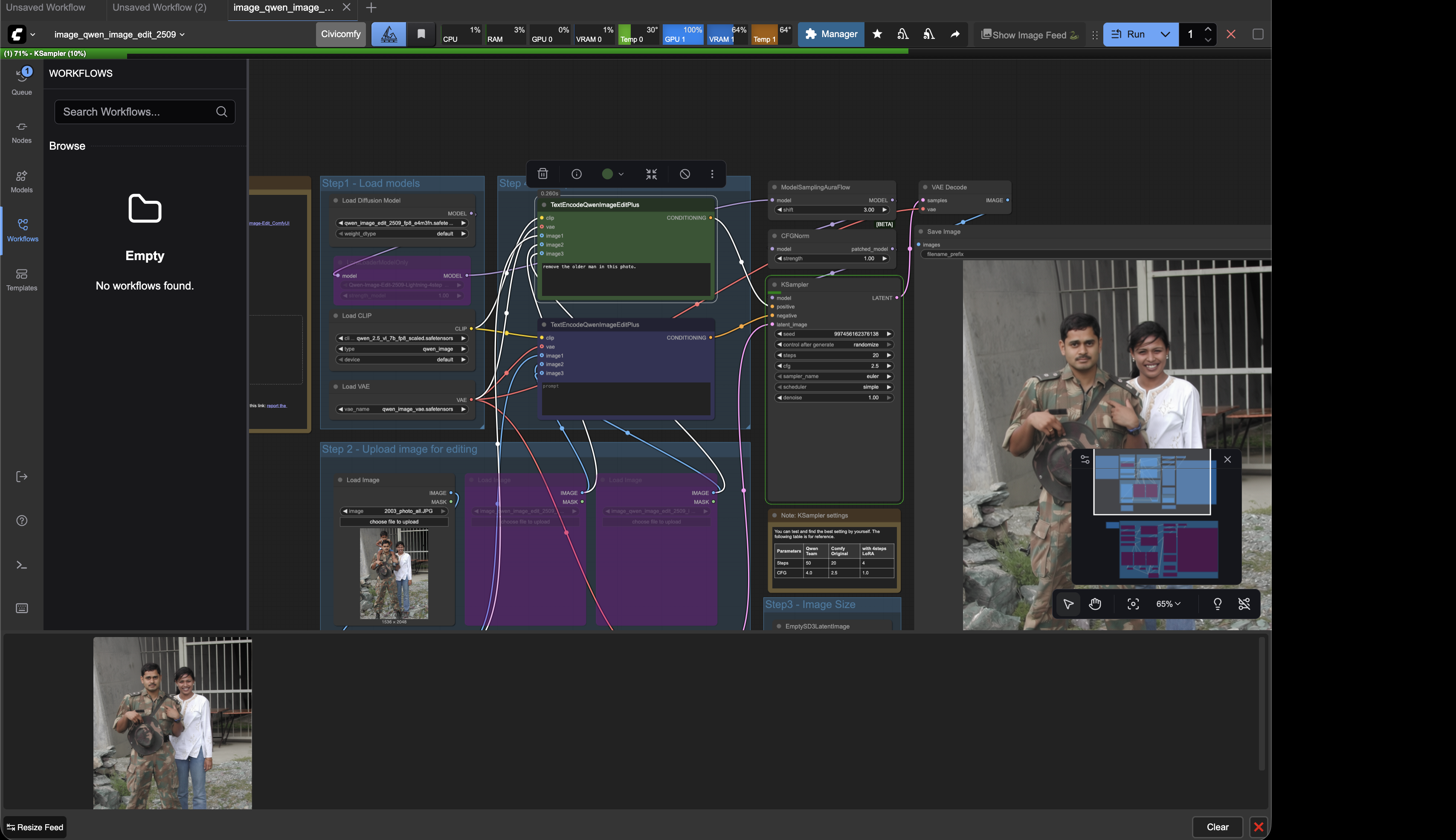
ended up using flora instead.
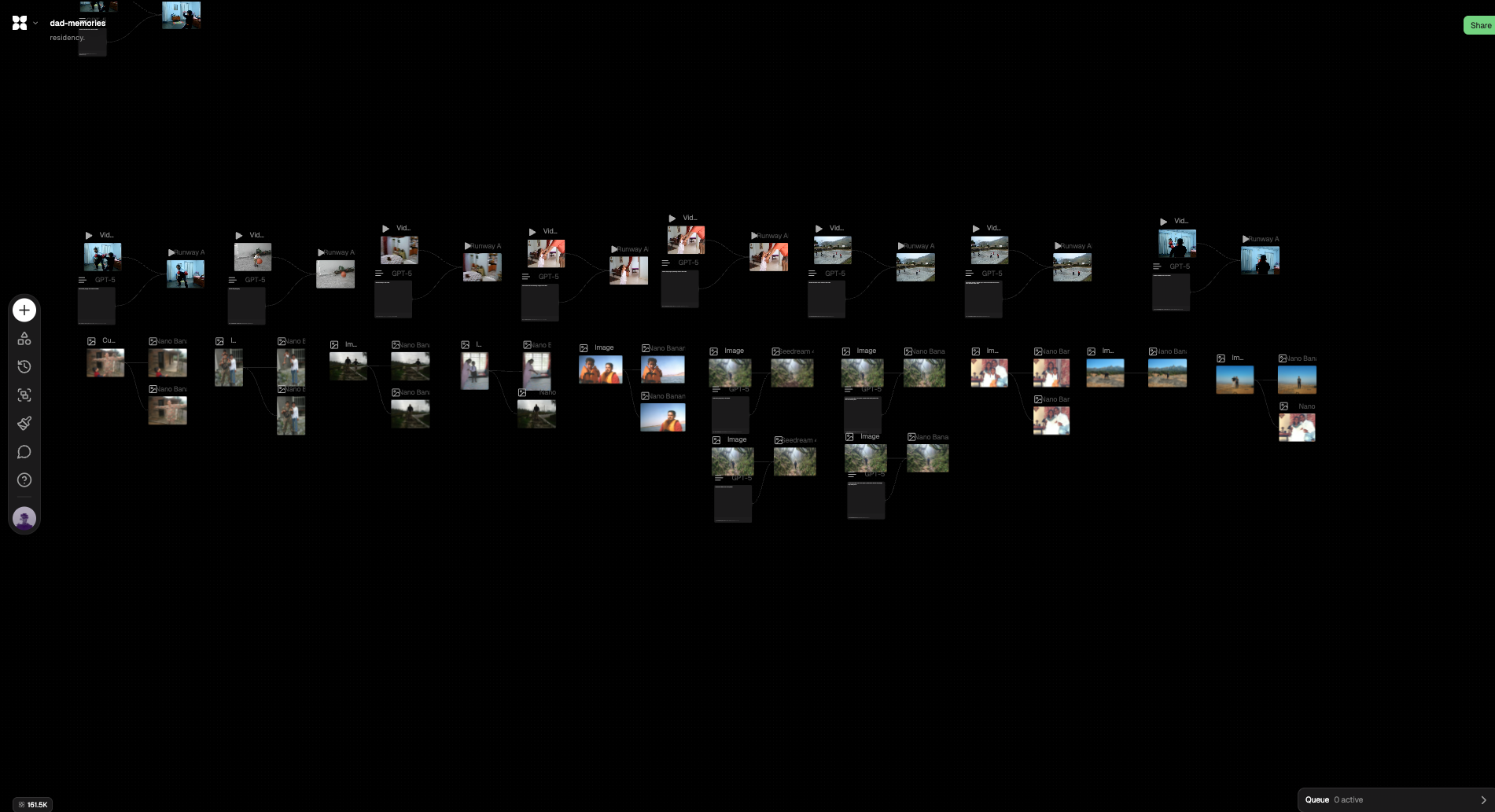
wrote my final few lines of code, added a ui & some data viz stuff. made a demo video.
code:
/*
me, my father & our neurons.

made for hypercinema-final at itp; december 2025.

by arjun.
*/

let cam;

let units = [];

let clicked = false; //toggle to keep track of when i change colour.

//memories:
let my_memories = [];
let dad_memories = [];

//font loads:
let reg, sem;

//data variables:
let total_memories_accessed = 0;
let consensus = "don't reach out";

let s_elapsed = 0;

let lastConsensusTime = 0; // millis() of last consensus calculation.
let consensusInterval = 180000;

function preload() {
  // i have to manually load all media since they're all different formats.
  //mine:
  my_memories[0] = createVideo("./assets/media/my-memories/0.mp4");
  my_memories[1] = loadImage("./assets/media/my-memories/1.webp");
  my_memories[2] = loadImage("./assets/media/my-memories/2.webp");
  my_memories[3] = createVideo("./assets/media/my-memories/3.mp4");
  my_memories[4] = loadImage("./assets/media/my-memories/4.webp");
  my_memories[5] = loadImage("./assets/media/my-memories/5.webp");
  my_memories[6] = loadImage("./assets/media/my-memories/6.webp");
  my_memories[7] = createVideo("./assets/media/my-memories/7.mp4");
  my_memories[8] = createVideo("./assets/media/my-memories/8.mp4");
  my_memories[9] = loadImage("./assets/media/my-memories/9.webp");
  my_memories[10] = createVideo("./assets/media/my-memories/10.mp4");

  //dad's:
  dad_memories[0] = createVideo("./assets/media/dad-memories/0.mp4");
  dad_memories[1] = loadImage("./assets/media/dad-memories/1.webp");
  dad_memories[2] = loadImage("./assets/media/dad-memories/2.webp");
  dad_memories[3] = createVideo("./assets/media/dad-memories/3.mp4");
  dad_memories[4] = loadImage("./assets/media/dad-memories/4.webp");
  dad_memories[5] = loadImage("./assets/media/dad-memories/5.webp");
  dad_memories[6] = loadImage("./assets/media/dad-memories/6.webp");
  dad_memories[7] = createVideo("./assets/media/dad-memories/7.mp4");
  dad_memories[8] = createVideo("./assets/media/dad-memories/8.mp4");
  dad_memories[9] = loadImage("./assets/media/dad-memories/9.webp");
  dad_memories[10] = createVideo("./assets/media/dad-memories/10.mp4");

  // hide *only videos*, not images
  for (let m of my_memories) {
    if (m && m.hide) m.hide();
  }
  for (let m of dad_memories) {
    if (m && m.hide) m.hide();
  }

  //font loads:
  reg = loadFont("/assets/fonts/FiraCode-Regular.ttf");
  semi = loadFont("/assets/fonts/FiraCode-SemiBold.ttf");
}

function setup() {
  //set defaults:
  pixelDensity(1);
  noStroke();

  cam = createCapture(VIDEO, canv_to_asp);
  cam.hide();
}

function canv_to_asp() {
  let asp_ratio = cam.height / cam.width;

  let wh = windowWidth * asp_ratio;

  createCanvas(windowWidth, wh);
}

function draw() {
  background(0);

  //i wanted to use a tertiary operator, but it just works differently and causes an error in my program.
  if (!col_set) {
    set_colour();
  } else {
    // image(cam, 0, 0, width, height);
    detect();
  }

  //connections between points:

  stroke(255, 80); // light white, slightly transparent
  strokeWeight(1);

  for (let i = 0; i < units.length; i++) {
    for (let j = i + 1; j < units.length; j++) {
      let a = units[i];
      let b = units[j];

      // same memory index AND different brain sides
      if (a.memory_index === b.memory_index && a.brain !== b.brain) {
        line(a.scaled_x + a.s / 2, a.scaled_y, b.scaled_x - b.s / 2, b.scaled_y);
      }
    }
  }

  for (unit of units) {
    unit.display();
  }

  ui();

  if (millis() - lastConsensusTime > consensusInterval) {
    calculate_consensus();
    lastConsensusTime = millis();
  }
}

// ===== Option B: ONLY DRAWN CONNECTIONS (same memory_index && different brain) =====
function calculate_consensus() {
  if (units.length < 2) {
    // consensus = "not enough data";
    return;
  }

  let totalScore = 0;
  let count = 0;

  // use canvas diagonal again so metric adapts
  let diag = dist(0, 0, width, height);
  let neutralDistance = diag / 3; // tweak if needed

  for (let i = 0; i < units.length; i++) {
    for (let j = i + 1; j < units.length; j++) {
      let a = units[i];
      let b = units[j];

      // only consider pairs that actually form a connection in your visuals
      if (!(a.memory_index === b.memory_index && a.brain !== b.brain)) continue;

      let d = dist(a.scaled_x, a.scaled_y, b.scaled_x, b.scaled_y);

      // positive when close, negative when far
      let raw = (neutralDistance - d) / neutralDistance;

      // clamp a bit to avoid huge influence from outliers
      raw = constrain(raw, -1, 1);

      totalScore += raw;
      count++;
    }
  }

  let avgRaw = count > 0 ? totalScore / count : 0; // in [-1,1]
  let avgScore = (avgRaw + 1) / 2; // map to 0..1

  consensus = avgScore > 0.5 ? "reach out" : "let go";

  // console.log("connections:", count, "avgRaw:", avgRaw.toFixed(4), "avgScore:", avgScore.toFixed(4));
}

function ui() {
  push();

  textAlign(CENTER);
  textSize(14);
  fill(127);
  textFont(reg);
  text("me, my father & our neurons", width / 2, height - 450);

  fill(255);
  textFont(semi);
  textAlign(LEFT, CENTER);
  text("me", 100, height / 2 - 200);

  textAlign(RIGHT, CENTER);
  text("my father", width - 100, height / 2 - 200);

  fill(127);

  textFont(reg);
  textSize(8);
  textAlign(LEFT, CENTER);
  text("loc: 40.6908107°N, 73.9585043°W ", 100, height / 2 + 16 - 200);

  textAlign(RIGHT, CENTER);
  text("loc: unknown", width - 100, height / 2 + 16 - 200);

  textAlign(LEFT, TOP);

  textFont(reg);
  textSize(8);
  text("total memories accessed during the show: " + total_memories_accessed, 100, 50);

  text("winter show attendees consensus: " + consensus, 100, 62);

  fill(127);
  textAlign(RIGHT, TOP);
  textSize(8);
  textFont(reg);

  let timeLeft = ceil((consensusInterval - (millis() - lastConsensusTime)) / 1000);
  text("next data-snapshot in: " + timeLeft + "s", width - 100, 50);

  pop();
}

let col_to_detect = {
  r: 0,
  g: 0,
  b: 0,
};

let col_set = false;

function set_colour() {
  image(cam, 0, 0, width, height);

  loadPixels();

  let n = get_canvas_pixel_index(floor(mouseX), floor(mouseY));

  let r = pixels[n];

  fill(255);
  text(r, mouseX, mouseY);

  if (clicked == true) {
    col_to_detect.r = pixels[n];
    col_to_detect.g = pixels[n + 1];
    col_to_detect.b = pixels[n + 2];

    col_set = true;
  }
}

let col_difference_threshold = 30; //this number is used to account for noise that the webcam will experience.

let required_distance = 200; //required distance before a pixel is considered a new unit.

function detect() {
  cam.loadPixels();

  //for every unit, create a new accumulator object. we use this to keep track of average positions.
  let unit_accumulators = units.map(() => ({ sum_x: 0, sum_y: 0, count: 0 }));

  for (let x = 0; x < cam.width; x++) {
    for (let y = 0; y < cam.height; y++) {
      let n = (y * cam.width + x) * 4;

      let pr = cam.pixels[n];
      let pg = cam.pixels[n + 1];
      let pb = cam.pixels[n + 2];

      let dr = abs(pr - col_to_detect.r);
      let dg = abs(pg - col_to_detect.g);
      let db = abs(pb - col_to_detect.b);

      //if the colour does not match, skip this iteration and move on to the next iteration.
      if (dr > col_difference_threshold || dg > col_difference_threshold || db > col_difference_threshold) continue;

      //if the code has progressed, it means that this is a pixel we care about.

      //first, we scale the coordinates of this pixel to canvas-space.
      let scaled_x = map(x, 0, cam.width, 0, width);
      let scaled_y = map(y, 0, cam.height, 0, height);

      //assume positively: this is a brand new blob.
      let this_has_a_unit = false;

      for (let i = 0; i < units.length; i++) {
        let unit = units[i];

        let d = dist(scaled_x, scaled_y, unit.scaled_x, unit.scaled_y);

        if (d < required_distance) {
          //accumulate positions for averaging:
          unit_accumulators[i].sum_x += scaled_x;
          unit_accumulators[i].sum_y += scaled_y;
          unit_accumulators[i].count++;
          this_has_a_unit = true;

          break; //stop checking other units inside this sub-loop. it is already accounted for.
        }
      }

      //if after all the loops, it is still considered a new position, we make a new unit.
      if (!this_has_a_unit) {
        //we want to push a new unit with a media file attached to it.

        let n = 0; //placeholder for index of memories.

        if (x < cam.width / 2) {
          //our unit is in the left-half. make it pick from my memories (0).
          units.push(new Unit(x, y, 5, 0));
        } else {
          //in the right half. make it pick from dad's memories (1).
          units.push(new Unit(x, y, 5, 1));
        }

        //add new accumulator for averaging this pixel's stuff.
        unit_accumulators.push({ sum_x: map(x, 0, cam.width, 0, width), sum_y: map(y, 0, cam.height, 0, height), count: 1 });

        //increase count of total memories accessed.
        total_memories_accessed += 1;
      }
    }
  }

  // update positions.
  for (let i = 0; i < units.length; i++) {
    if (unit_accumulators[i].count > 0) {
      units[i].seen = true;
      let avg_x = unit_accumulators[i].sum_x / unit_accumulators[i].count;
      let avg_y = unit_accumulators[i].sum_y / unit_accumulators[i].count;

      //math tells us that area=height=sqrt(area). area for us is the number of pixels in this accumulator object.
      let avg_size = Math.sqrt(unit_accumulators[i].count) * 8;
      units[i].update(avg_x, avg_y, avg_size);
    }
  }

  double_check();
}

function double_check() {
  // remove all units that did not receive any matching pixels this frame
  for (let i = units.length - 1; i >= 0; i--) {
    if (!units[i].seen) {
      units[i].destroy();
      units.splice(i, 1);
    }
  }

  // reset seen flags for next frame
  for (let unit of units) {
    unit.seen = false;
  }
}

class Unit {
  constructor(x, y, size, brain) {
    this.x = x;
    this.y = y;

    this.scaled_x = map(this.x, 0, cam.width, 0, width);
    this.scaled_y = map(this.y, 0, cam.height, 0, height);

    this.s = size;

    this.brain = brain;

    this.main_file;
    this.hidden_file;

    this.tint_val_main = 0;
    this.tint_val_hidden = 0;

    this.seen = false;

    // pick a random index
    let idx;

    if ((brain = 0)) {
      idx = floor(random(my_memories.length));

      this.main_file = my_memories[idx];
      this.hidden_file = dad_memories[idx];
    } else {
      idx = floor(random(dad_memories.length));

      this.main_file = dad_memories[idx];
      this.hidden_file = my_memories[idx];
    }

    this.memory_index = idx;

    // Initialize video-only behavior
    this.initMedia(this.main_file);
    this.initMedia(this.hidden_file);
  }

  initMedia(m) {
    // if it's a VIDEO
    if (m && m.loop) {
      m.volume(0);
      m.loop();
    }
  }

  stopMedia(m) {
    if (m && m.stop) {
      m.stop();
    }
  }

  display() {
    // fill(255);
    // rect(this.scaled_x, this.scaled_y, this.w, this.h);

    this.tint_val_main = map(this.scaled_x, 0, width, 0, 255);
    this.tint_val_hidden = map(this.scaled_x, 0, width, 255, 0);

    // fill(0);
    // square(this.scaled_x - this.s / 2, this.scaled_y - this.s / 2, this.s);

    push();
    //background to remove tint.
    tint(255, this.tint_val_main);
    image(this.main_file, this.scaled_x - this.s / 2, this.scaled_y - this.s / 2, this.s, this.s);
    pop();

    push();
    tint(255, this.tint_val_hidden);
    image(this.hidden_file, this.scaled_x - this.s / 2, this.scaled_y - this.s / 2, this.s, this.s);
    pop();
  }

  update(x, y, size) {
    this.scaled_x = x;
    this.scaled_y = y;

    this.s = size;
  }

  destroy() {
    this.stopMedia(this.main_file);
    this.stopMedia(this.hidden_file);
  }
}

function mousePressed() {
  clicked = true;
}

// helpers:
//helper to convert from pixels array to x, y.
function get_cam_pixel_index(x, y) {
  return (y * cam.width + x) * 4;
}

function get_canvas_pixel_index(x, y) {
  return (y * width + x) * 4;
}

//helper to convert from x, y to pixel index.
function get_coordinates(n) {
  let pixel_number = n / 4;

  let x = pixel_number % cam.width;
  let y = floor(pixel_number / cam.width);

  return { x, y };
}
rewrote things for the show:
description:
my father left me & my mother when i was 19. we haven’t spoken in the last 5 years.
i have media on my hard-drive that show me close to him, but i can’t recall those memories — because we are estranged in reality.
as time passes, i’m beginning to forget what he looked like, how he talked and how he behaved. on one side, that’s good — i’m finally beginning to let go. but on the other, as i’ve come to realise lately, parts of me desperately desire us to meet,; and for me to preserve those memories in their original shape.
this project invites you to influence my dilemma. physical-units in space represent neurons in either my brain or my father’s. by moving them around, you see the same memory represented differently in our brains. moving neurons of the same memory to the center combine the two estranged memories. every 3 minutes, the program takes a snapshot of all the neurons and calculates a score that results in the collective decision of whether i should ‘reach out’ or ‘let go’.
project does technically:
a computer-algorithm detects colour-blobs via units placed on a flat surface (table). based on the position of the blobs, it displays a memory of me & my father, with either my father removed (if the unit is placed on the left side) or myself removed (if the unit is placed on the right side). as units move closer to each other, both individuals in the memory begin to appear. if units move away from each other, we fade out of each other’s lives.
every 3 minutes, the program takes a snapshot of all the units in space, and calculates a score that results in the collective decision of whether i should ‘reach out’ or ‘let go’.
made a demo video:
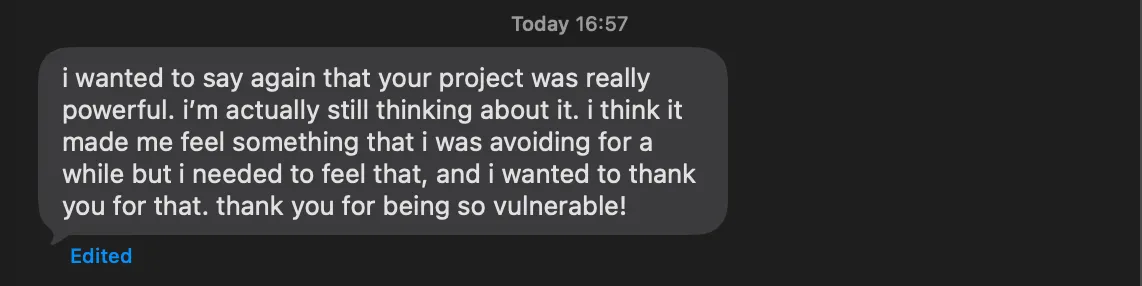
when i presented in class, people cried. i hadn’t anticipated that. turns out that it was a really powerful project.
shloka wrote this to me:
emilia also said that she wouldn’t have the courage to do something like this (so vulnerable) in front of an audience. i said: speaking about it helps it not feel like an extreme situation, it transcends into normalcy.
aidan nelson said that i might want to reconsider my ‘data’ point. everyone deals with loss & grief at some point, and that immediately forms the connection with this project. i hadn’t anticipated that, and thought i needed more incentive to make people want to try it. but naturally they wanted to.
it also became an exploratory interface; perhaps tied to what tom-igoe spoke about with regards to sustained interaction: something new (and unexpected happens) when you add a neuron, and move it around in space. there are many combinatorial possibilities.
programming resources:
- face detection (using blaze-face): https://www.youtube.com/watch?v=jovusqHNpRo
text for the show:
instructions: