<body bgcolor=#80a0ff>
<center><canvas id=canvas width=800 height=800></canvas>
<script src=webgl2.js></script>
<script src=library.js></script>
<script>

function Scene() {

/*
   BELOW IS AN EXAMPLE OF HOW A PHONG-SHADED MATERIAL MIGHT BE DESCRIBED.

   ********** TO DO FOR HOMEWORK: **********

   INCORPORATE THIS KIND OF MATERIAL INFORMATION INTO YOUR FRAGMENT
   SHADER SO THAT YOU CAN RENDER DIFFERENT MATERIALS. SEE HOW MANY
   DIFFERENT MATERIALS (EG: TYPES OF METAL, PLASTIC) YOU CAN CREATE.
*/

   let gold = { ambient: [.3,.2,.0], diffuse: [.3,.2,.0], specular: [.6,.4,0,20] };

   this.vertexSize = 8;
   this.vertexAttributes = {
      aPos: { size: 3, position: 0 },
      aNor: { size: 3, position: 3 },
      aUV:  { size: 2, position: 6 },
   };

/*
   ********** TO DO FOR HOMEWORK: **********

   DEFINE A SPHERE TYPE BY IMPLEMENTING A createSphere() FUNCTION.
   AS WE DISCUSSED IN CLASS, YOU CAN DO THIS IN ONE OF TWO WAYS:

   (1) LOOP OVER u AND v TO DEFINE LONGITUDE AND LONGITUDE FOR A GLOBE:

      theta = 2 * PI * u   , where 0 <= u <= 1
      phi   = PI * v - PI/2, where 0 <= v <= 1

      ANY POINT [x,y,z] ON THE SPHERE CAN THEN BE DEFINED AS:

         [ cos(theta) * cos(phi) , sin(theta) * cos(phi) , sin(phi ]

   (2) USE THE INFLATED CUBE METHOD:

       (2a) DIVIDE EACH FACE OF THE UNIT CUBE INTO A GRID OF SUMALL SQUARES.

       (2b) NORMALIZE ALL VERTICES (THAT IS, SET THEM TO UNIT LENGTH).

   IN BOTH OF THE ABOVE CASES, THE SURFACE NORMAL IS THE SAME AS THE POINT,
   BECAUSE THIS IS A UNIT SPHERE.
*/

   let createCylinder = n => {
      let vertices = [];
      for (let i = 0 ; i < n ; i++) {
         let u0 = i / n;
         let u1 = (i+1) / n;
	 let x0 = Math.cos(2 * Math.PI * u0);
	 let y0 = Math.sin(2 * Math.PI * u0);
	 let x1 = Math.cos(2 * Math.PI * u1);
	 let y1 = Math.sin(2 * Math.PI * u1);
	 vertices.push(
	    x0,y0,-1, x0,y0,0, u0,0,  x0,y0, 1, x0,y0,0, u0,1,  x1,y1, 1, x1,y1,0, u1,1,
	    x1,y1,-1, x1,y1,0, u1,0,  x0,y0,-1, x0,y0,0, u0,0,  x1,y1, 1, x1,y1,0, u1,1,

	    x0,y0, 1, 0,0, 1, 0,1,   x1,y1, 1, 0,0, 1, 0,1,   0, 0, 1, 0,0, 1, 0,1,
	    x0,y0,-1, 0,0,-1, 0,0,   x1,y1,-1, 0,0,-1, 0,0,   0, 0,-1, 0,0,-1, 0,0,
         );
      }
      return vertices;
   }

   let createCube = () => [
       1,-1, 1,  1,0,0, 0,1,   1, 1,-1,  1,0,0, 1,0,   1,-1,-1,  1,0,0, 0,0,
       1,-1, 1,  1,0,0, 0,1,   1, 1,-1,  1,0,0, 1,0,   1, 1, 1,  1,0,0, 1,1,
      -1,-1, 1, -1,0,0, 0,1,  -1, 1,-1, -1,0,0, 1,0,  -1,-1,-1, -1,0,0, 0,0,
      -1,-1, 1, -1,0,0, 0,1,  -1, 1,-1, -1,0,0, 1,0,  -1, 1, 1, -1,0,0, 1,1,

      -1, 1, 1, 0, 1,0, 0,1,   1, 1,-1, 0, 1,0, 1,0,  -1, 1,-1, 0, 1,0, 0,0,
      -1, 1, 1, 0, 1,0, 0,1,   1, 1,-1, 0, 1,0, 1,0,   1, 1, 1, 0, 1,0, 1,1,
      -1,-1, 1, 0,-1,0, 0,1,   1,-1,-1, 0,-1,0, 1,0,  -1,-1,-1, 0,-1,0, 0,0,
      -1,-1, 1, 0,-1,0, 0,1,   1,-1,-1, 0,-1,0, 1,0,   1,-1, 1, 0,-1,0, 1,1,

      -1, 1, 1, 0,0, 1, 0,1,   1,-1, 1, 0,0, 1, 1,0,  -1,-1, 1, 0,0, 1, 0,0,
      -1, 1, 1, 0,0, 1, 0,1,   1,-1, 1, 0,0, 1, 1,0,   1, 1, 1, 0,0, 1, 1,1,
      -1, 1,-1, 0,0,-1, 0,1,   1,-1,-1, 0,0,-1, 1,0,  -1,-1,-1, 0,0,-1, 0,0,
      -1, 1,-1, 0,0,-1, 0,1,   1,-1,-1, 0,0,-1, 1,0,   1, 1,-1, 0,0,-1, 1,1,
   ];

   this.shapes = [
      {
         material: gold,
         vertices: createCube(),
      },
      {
         vertices: createCylinder(8),
      },
   ];

   this.vertexShader = `#version 300 es
   in  vec3 aPos, aNor;
   in  vec2 aUV;
   out vec3 vPos, vNor;
   out vec2 vUV;
   uniform mat4 uMF, uMI;
   void main() {
      vec4 pos = uMF * vec4(aPos, 1.);
      vec4 nor = vec4(aNor, 0.) * uMI;
      vPos = pos.xyz / pos.w;
      vPos.z *= -1.;
      vNor = nor.xyz;
      vUV = aUV;
      gl_Position = vec4(vPos, 1.);
   }`;

   this.fragmentShader = `#version 300 es
   precision highp float;

   in  vec3 vPos, vNor;
   in  vec2 vUV;
   out vec4 fragColor;

   void main() {
      vec3 nor = normalize(vNor);
      float a = .5 * dot(nor,vec3(-.7));
      float d = .5 + max(0.,a) + max(0.,-a);
//    d *= .5 + .5 * noise(10.*vec3(vUV,.5));
      fragColor = vec4(d,d,d,1.);
   }`;

   let m = new Matrix();

   let startTime = Date.now() / 1000;

   this.update = () => {
      let time = Date.now() / 1000 - startTime;

/*
      WHAT YOU REALLY WANT IS TO BE ABLE TO ANIMATE
      EACH SHAPE INDEPENDENTLY.

      ********** TO DO FOR HOMEWORK: **********

      GIVE EACH SHAPE ITS OWN matrix PROPERTY. THEN IN
      FILE webgl2.js, MODIFY setInterval() SO THAT IT
      CALLS setUniform() TO SET THE VALUES OF uMF AND
      uMI FOR EACH SHAPE BEFORE IT CALLS drawArrays()
      FOR THAT SHAPE.
*/

      m.identity();
      m.perspective(10);
      m.turnX(time);
      m.turnY(2*time);
      m.turnZ(3*time);
      m.scale(.1,.1,.5);

      setUniform('Matrix4fv', 'uMF', false, m.get());
      m.inverse();
      setUniform('Matrix4fv', 'uMI', false, m.get());
   }
}

gl_start(canvas, new Scene());
</script>
this week was all about implementing a new version of our library, and getting familiar with building meshes.
i took time to port over the new library.
matrix stuff:
//get a person's cursor:
let _r = canvas.getBoundingClientRect(),
  cursor = [0, 0, 0];
let setCursor = (e, z) =>
  (cursor = [
    ((e.clientX - _r.left) / canvas.width) * 2 - 1,
    1 - ((e.clientY - _r.top) / canvas.height) * 2,
    z ?? cursor[2],
  ]);
canvas.onmousedown = (e) => setCursor(e, 1);
canvas.onmousemove = (e) => setCursor(e);
canvas.onmouseup = (e) => setCursor(e, 0);

//definition of a matrix class:

let Matrix = function () {
  let m;
  let xyz = (x, y, z) =>
    x === undefined ? [1, 1, 1] : Array.isArray(x) ? x : [x, y ?? x, z ?? x];
  let mxm = (a, b) =>
    a.map(
      (A, n) =>
        a[n & 3] * b[n & 12] +
        a[(n & 3) | 4] * b[(n & 12) | 1] +
        a[(n & 3) | 8] * b[(n & 12) | 2] +
        a[(n & 3) | 12] * b[(n & 12) | 3],
    );
  let C = (t) => Math.cos(t),
    S = (t) => Math.sin(t);

  //operations:
  this.get = () => m;
  this.identity = () => (m = [1, 0, 0, 0, 0, 1, 0, 0, 0, 0, 1, 0, 0, 0, 0, 1]);
  this.inverse = () => {
    let co = (c, r) => {
      let s = (i, j) => m[((c + i) & 3) | (((r + j) & 3) << 2)];
      return (
        ((c + r) & 1 ? -1 : 1) *
        (s(1, 1) * (s(2, 2) * s(3, 3) - s(3, 2) * s(2, 3)) -
          s(2, 1) * (s(1, 2) * s(3, 3) - s(3, 2) * s(1, 3)) +
          s(3, 1) * (s(1, 2) * s(2, 3) - s(2, 2) * s(1, 3)))
      );
    };
    let d = [],
      e = 0;
    for (let n = 0; n < 16; n++) d.push(co(n >> 2, n & 3));
    for (let n = 0; n < 4; n++) e += m[n] * d[n << 2];
    for (let n = 0; n < 16; n++) m[n] = d[n] / e;
  };
  this.move = (x, y, z) => {
    [x, y, z] = xyz(x, y, z);
    m = mxm(m, [1, 0, 0, 0, 0, 1, 0, 0, 0, 0, 1, 0, x, y, z, 1]);
  };
  this.perspective = (fl) =>
    (m = mxm(m, [1, 0, 0, 0, 0, 1, 0, 0, 0, 0, 1, -1 / fl, 0, 0, 0, 1]));
  this.scale = (x, y, z) => {
    [x, y, z] = xyz(x, y, z);
    m = mxm(m, [x, 0, 0, 0, 0, y, 0, 0, 0, 0, z, 0, 0, 0, 0, 1]);
  };
  this.rotate_x = (t) =>
    (m = mxm(m, [1, 0, 0, 0, 0, C(t), S(t), 0, 0, -S(t), C(t), 0, 0, 0, 0, 1]));
  this.rotate_y = (t) =>
    (m = mxm(m, [C(t), 0, -S(t), 0, 0, 1, 0, 0, S(t), 0, C(t), 0, 0, 0, 0, 1]));
  this.rotate_z = (t) =>
    (m = mxm(m, [C(t), S(t), 0, 0, -S(t), C(t), 0, 0, 0, 0, 1, 0, 0, 0, 0, 1]));
};

//more math stuff:

let normalize = (v) => {
  let s = Math.sqrt(v[0] * v[0] + v[1] * v[1] + v[2] * v[2]);
  return [v[0] / s, v[1] / s, v[2] / s];
};
webgl2:
//boilerplate v2; from ken; modified by me.

function gl_start(canvas, scene) {
  //define noise; like ken; in js:
  let def_noise = (fs) => {
    let i = fs.indexOf(";") + 1;
    return (
      fs.substring(0, i) +
      "vec3 _s(vec3 i){return cos(5.*(i+5.*cos(5.*(i.yzx+5.*cos(5.*(i.zxy+5.*cos(5.*i)))))));}float _t(vec3 i,vec3 u,vec3 a){return dot(normalize(_s(i+a)),u-a);}float noise(vec3 p){vec3 i=floor(p),u=p-i,v=2.*mix(u*u,u*(2.-u)-.5,step(.5,u));return mix(mix(mix(_t(i,u,vec3(0)),_t(i,u,vec3(1,0,0)),v.x),mix(_t(i,u,vec3(0,1,0)),_t(i,u,vec3(1,1,0)),v.x),v.y),mix(mix(_t(i,u,vec3(0,0,1)),_t(i,u,vec3(1,0,1)),v.x),mix(_t(i,u,vec3(0,1,1)),_t(i,u,vec3(1)),v.x),v.y),v.z);}" +
      fs.substring(i)
    );
  };

  setTimeout(function () {
    window.gl = canvas.getContext("webgl2");
    gl.program = gl.createProgram();
    let addshader = (type, src) => {
      let shader = gl.createShader(type);
      gl.shaderSource(shader, src);
      gl.compileShader(shader);
      if (!gl.getShaderParameter(shader, gl.COMPILE_STATUS))
        console.log("Cannot compile shader:", gl.getShaderInfoLog(shader));
      gl.attachShader(gl.program, shader);
    };
    addshader(gl.VERTEX_SHADER, scene.vertex_shader);
    addshader(gl.FRAGMENT_SHADER, def_noise(scene.fragment_shader));
    gl.linkProgram(gl.program);
    if (!gl.getProgramParameter(gl.program, gl.LINK_STATUS))
      console.log("Could not link the shader program!");
    gl.useProgram(gl.program);

    gl.bindBuffer(gl.ARRAY_BUFFER, gl.createBuffer());

    gl.enable(gl.DEPTH_TEST);
    gl.enable(gl.BLEND);
    gl.blendFunc(gl.SRC_ALPHA, gl.ONE_MINUS_SRC_ALPHA);
    gl.depthFunc(gl.LEQUAL);

    let bpe = Float32Array.BYTES_PER_ELEMENT;

    let set_vertex_attribute = (name, size, position) => {
      let location = gl.getAttribLocation(gl.program, name);
      gl.enableVertexAttribArray(location);
      gl.vertexAttribPointer(
        location,
        size,
        gl.FLOAT,
        false,
        scene.vertex_size * bpe,
        position * bpe,
      );
    };

    for (let name in scene.vertex_attributes) {
      let attribute = scene.vertex_attributes[name];
      set_vertex_attribute(name, attribute.size, attribute.position);
    }

    for (let n = 0; n < scene.shapes.length; n++)
      scene.shapes[n].mesh = new Float32Array(scene.shapes[n].vertices);

    setInterval(function () {
      if (scene.update) scene.update();
      for (let n = 0; n < scene.shapes.length; n++) {
        gl.bufferData(gl.ARRAY_BUFFER, scene.shapes[n].mesh, gl.STATIC_DRAW);
        gl.drawArrays(
          gl.TRIANGLES,
          0,
          scene.shapes[n].mesh.length / scene.vertex_size,
        );
      }
    }, 30);
  }, 100);
}

let set_uniform = (type, name, a, b, c) =>
  gl["uniform" + type](gl.getUniformLocation(gl.program, name), a, b, c);
with that, one can define a mesh like so (this is a cube):
<!-- base raytracing with specular, diffuse & ambient :  -->

<body bgcolor="black">
  <canvas id="canvas" width="800" height="800"></canvas>

  <!-- scripts: -->
  <script src="../assets/webgl-2.js"></script>
  <script src="../assets/library.js"></script>

  <!-- webgl: -->
  <script>
    function Scene() {

      //helpers:
      let make_cube = () => [
       1,-1, 1,  1,0,0,   1, 1,-1,  1,0,0,   1,-1,-1,  1,0,0,
       1,-1, 1,  1,0,0,   1, 1,-1,  1,0,0,   1, 1, 1,  1,0,0,
      -1,-1, 1, -1,0,0,  -1, 1,-1, -1,0,0,  -1,-1,-1, -1,0,0,
      -1,-1, 1, -1,0,0,  -1, 1,-1, -1,0,0,  -1, 1, 1, -1,0,0,

      -1, 1, 1, 0, 1,0,   1, 1,-1, 0, 1,0,  -1, 1,-1, 0, 1,0,
      -1, 1, 1, 0, 1,0,   1, 1,-1, 0, 1,0,   1, 1, 1, 0, 1,0,
      -1,-1, 1, 0,-1,0,   1,-1,-1, 0,-1,0,  -1,-1,-1, 0,-1,0,
      -1,-1, 1, 0,-1,0,   1,-1,-1, 0,-1,0,   1,-1, 1, 0,-1,0,

      -1, 1, 1, 0,0, 1,   1,-1, 1, 0,0, 1,  -1,-1, 1, 0,0, 1,
      -1, 1, 1, 0,0, 1,   1,-1, 1, 0,0, 1,   1, 1, 1, 0,0, 1,
      -1, 1,-1, 0,0,-1,   1,-1,-1, 0,0,-1,  -1,-1,-1, 0,0,-1,
      -1, 1,-1, 0,0,-1,   1,-1,-1, 0,0,-1,   1, 1,-1, 0,0,-1,
   ];

      this.vertex_size = 6;

      this.vertex_attributes = {
        a_pos: { size: 3, position: 0 },
        a_nor: { size: 3, position: 3 },
      };

      this.shapes = [
        {vertices: make_cube()},
      ];

      this.vertex_shader = `#version 300 es
      uniform mat4 uMF, uMI;
      in vec3 a_pos, a_nor;
      out vec3 v_pos, v_nor;

      void main(){
        vec4 pos = uMF * vec4(a_pos, 1.);
        vec4 nor = vec4(a_nor, 0.) * uMI;
        v_pos = pos.xyz / pos.w;
        v_pos.z *= -1.;
        v_nor = nor.xyz;
        gl_Position = vec4(v_pos, 1.);
      }`;

      this.fragment_shader = `#version 300 es
      precision highp float;

      in  vec3 v_pos, v_nor;
      out vec4 frag_col;

      uniform float u_time;

      void main() {
      vec3 nor = normalize(v_nor);
      float a = .5 * dot(nor,vec3(-.7));
      float d = .5 + max(0.,a) + max(0.,-a);

      float col = 0.9 + 0.9 * noise(v_nor);

      frag_col = vec4(vec3(col * nor),1.);
      }`;

      //define variables:
      let start_time = Date.now() / 1000;
      let m = new Matrix();

      //update function:
      this.update = () => {
        let t = Date.now() / 1000 - start_time;
        //   console.log(t % 1);
        set_uniform("1f", "u_time", t);

        m.identity();
        m.perspective(100);
        m.scale(0.5);
        m.rotate_x(t);
        m.rotate_y(0.5 * t);
        //m.turnX(t);
        //m.scale(.1,.1,.5);

        //m.identity();
        //m.perspective(10);
        //m.turnX(t);
        //m.turnY(2*t);
        //m.turnZ(3*t);
        //m.scale(.1,.1,.5);

        set_uniform("Matrix4fv", "uMF", false, m.get());
        m.inverse();
        set_uniform("Matrix4fv", "uMI", false, m.get());
      };
    }

    gl_start(canvas, new Scene());
  </script>
</body>
note the matrix transformations are collated into:
set_uniform("Matrix4fv", "uMF", false, m.get());multiplied onto the position:
vec4 pos = uMF * vec4(a_pos, 1.);the inverse of that is used for the normals:
        m.inverse();
        set_uniform("Matrix4fv", "uMI", false, m.get());
in glsl:
vec4 nor = vec4(a_nor, 0.) * uMI;broken sphere implementation:
i looked at lighting in depth.
      void main(){
        vec3 l_pos = vec3(0., 1., 1.);
        float d = max(0., dot(v_nor, l_pos));

        frag_col = vec4(vec3(d), 1.);
      }
this shows you which normal is facing the light.
from ken’s notes:
A simple light source at infinity can be defined as an rgb color, together with an xyz light direction:

   vec3 lightColor;     // rgb
   vec3 lightDirection; // xyz
A diffuse simple surface material can be defined by an rgb "ambient" component, which is independent of any particular light source, and an rgb "diffuse" component, which is added for each light source:
   vec3 ambient;   // rgb
   vec3 diffuse;   // rgb
The figure to the right shows a diffuse sphere, where the point at each pixel is computed as:
ambient + lightColor * diffuse * max(0, normal • lightDirection)


Ray tracing: Multiple light sources

If the scene contains more than one light source, then pixel color for points on the sphere can be computed by:

ambient + ∑n ( lightColorn * diffuse * max(0, normal • lightDirectionn) )
where n iterates over the lights in the scene.
with spec:

ambient + ∑ₙ lightColorₙ ( diffuse max(0, normal • lightDirectionₙ) + specular max(0, reflectionDirectionₙ • eyeDirection)^power )

or

ambient + lightColor * ( diffuse * max(0, normal • lightDirection) + specular * max(0, reflectionDirection • eyeDirection)^power )

or ambient + diffuse * max(0, normal • lightDirection) + specular * max(0, reflectionDirection • eyeDirection)^power
surface colors: https://learnwebgl.brown37.net/10_surface_properties/surface_properties_color.html
once i understood all of that, i made one more sketch with multiple spheres:
still:
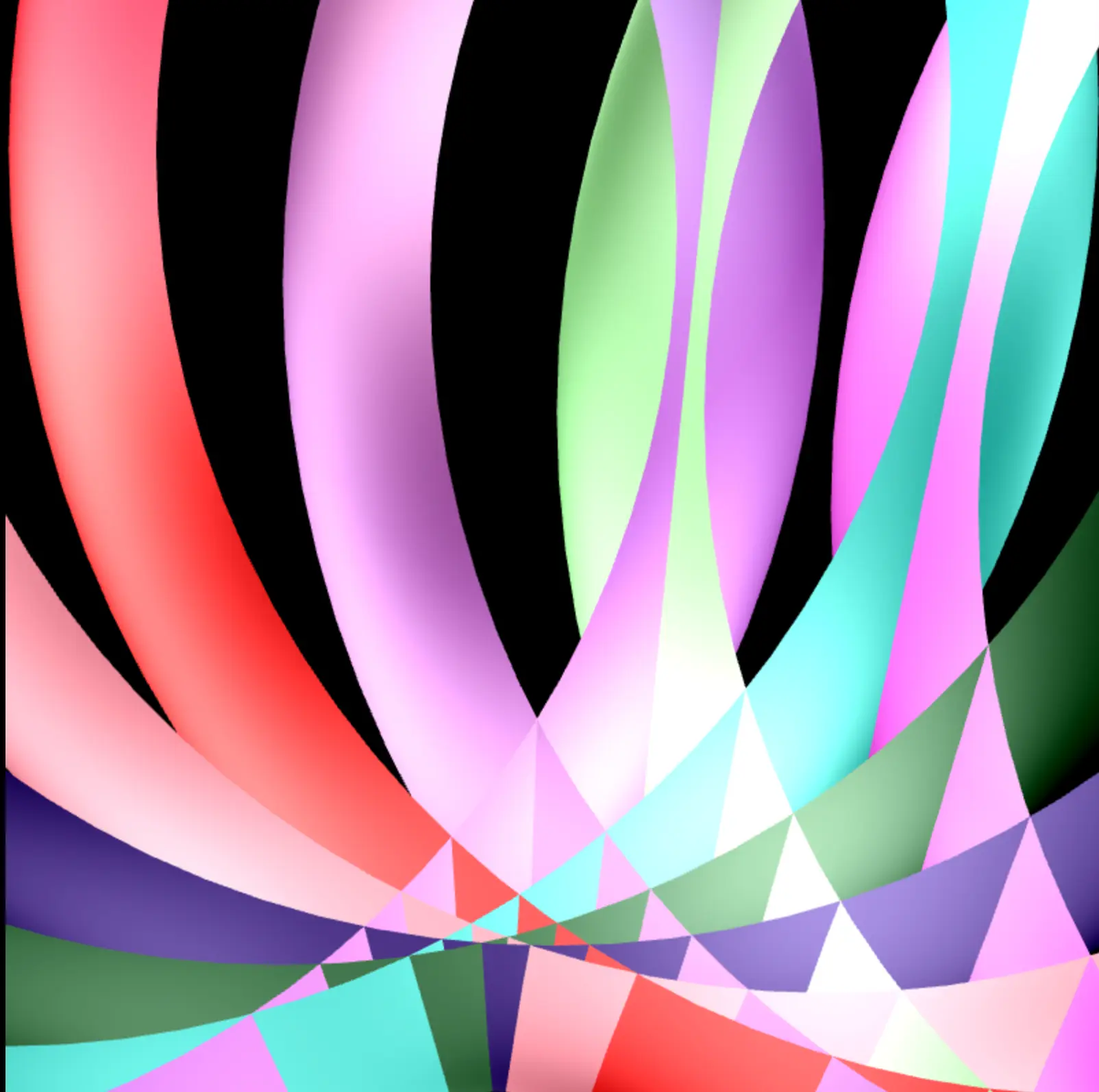
code:
<!-- multiple spheres: -->

<body bgcolor="black">
  <canvas id="canvas" width="800" height="800"></canvas>

  <!-- scripts: -->
  <script src="../assets/webgl-2.1.js"></script>
  <script src="../assets/library.js"></script>

  <!-- webgl: -->
  <script>

    const num = 20;
    let sca = 0.5;

    function Scene() {
      //helpers:
      let make_cube = () => [
        1, -1, 1, 1, 0, 0, 1, 1, -1, 1, 0, 0, 1, -1, -1, 1, 0, 0, 1, -1, 1, 1,
        0, 0, 1, 1, -1, 1, 0, 0, 1, 1, 1, 1, 0, 0, -1, -1, 1, -1, 0, 0, -1, 1,
        -1, -1, 0, 0, -1, -1, -1, -1, 0, 0, -1, -1, 1, -1, 0, 0, -1, 1, -1, -1,
        0, 0, -1, 1, 1, -1, 0, 0,

        -1, 1, 1, 0, 1, 0, 1, 1, -1, 0, 1, 0, -1, 1, -1, 0, 1, 0, -1, 1, 1, 0,
        1, 0, 1, 1, -1, 0, 1, 0, 1, 1, 1, 0, 1, 0, -1, -1, 1, 0, -1, 0, 1, -1,
        -1, 0, -1, 0, -1, -1, -1, 0, -1, 0, -1, -1, 1, 0, -1, 0, 1, -1, -1, 0,
        -1, 0, 1, -1, 1, 0, -1, 0,

        -1, 1, 1, 0, 0, 1, 1, -1, 1, 0, 0, 1, -1, -1, 1, 0, 0, 1, -1, 1, 1, 0,
        0, 1, 1, -1, 1, 0, 0, 1, 1, 1, 1, 0, 0, 1, -1, 1, -1, 0, 0, -1, 1, -1,
        -1, 0, 0, -1, -1, -1, -1, 0, 0, -1, -1, 1, -1, 0, 0, -1, 1, -1, -1, 0,
        0, -1, 1, 1, -1, 0, 0, -1,
      ];

      //sphere with n 'segments':
      function make_sphere(n) {
        let vs = [];

        let point = (u, v) => {
          let theta = 2 * Math.PI * u;
          let phi = Math.PI * v - Math.PI / 2;
          let x = Math.cos(theta) * Math.cos(phi);
          let y = Math.sin(theta) * Math.cos(phi);
          let z = Math.sin(phi);
          return [x, y, z, x, y, z]; //unit sphere: normal is the same as position.
        };

        for (let i = 0; i < n; i++)
          for (let j = 0; j < n; j++) {
            let u0 = i / n,
              u1 = (i + 1) / n;
            let v0 = j / n,
              v1 = (j + 1) / n;
            vs.push(
              ...point(u0, v0),
              ...point(u1, v0),
              ...point(u1, v1),
              ...point(u0, v0),
              ...point(u1, v1),
              ...point(u0, v1),
            );
          }

        return vs;
      }

      this.vertex_size = 6;

      this.vertex_attributes = {
        a_pos: { size: 3, position: 0 },
        a_nor: { size: 3, position: 3 },
      };

      let gold = {
        amb: [0.3, 0.2, 0.0],
        diff: [0.3, 0.2, 0.0],
        spec: [0.6, 0.4, 0, 20],
      };

      let jade = {
        amb: [0.135, 0.2225, 0.1575],
        diff: [0.54, 0.89, 0.63],
        spec: [0.63, 0.72, 0.63, 55],
      };

      //accept a number, and make shapes:
      function make_shapes(n){
        let temp = [];
        for (let i = 0; i<n; i++){
          let r = 10 + Math.random() * (50 - 10);
          let rand_material = {
            amb: [Math.random(), Math.random(), Math.random()],
            diff: [Math.random(), Math.random(), Math.random()],
            spec: [Math.random(), Math.random(), Math.random(), r],
          };
          temp.push({material: rand_material, matrix: new Matrix(), vertices: make_sphere(100)});
        }

        return temp;
      }

      this.shapes = make_shapes(num);


      this.vertex_shader = `#version 300 es
      uniform mat4 u_mf, u_mi;
      in vec3 a_pos, a_nor;
      out vec3 v_pos, v_nor;

      void main(){
        vec4 pos = u_mf * vec4(a_pos, 1.);
        vec4 nor = vec4(a_nor, 0.) * u_mi;
        v_pos = pos.xyz / pos.w;
        v_pos.z *= -1.;
        v_nor = nor.xyz;
        gl_Position = vec4(v_pos, 1.);
      }`;

      this.fragment_shader = `#version 300 es
      precision highp float;

      in vec3 v_pos, v_nor;
      out vec4 frag_col;

      uniform float u_time;
      uniform vec3 u_amb, u_diff;
      uniform vec4 u_spec;

      void main(){
        vec3 l_dir = normalize(vec3(cos(u_time), 1. + 1. * sin(u_time), 1.));
        vec3 n = normalize(v_nor);

        vec3 v = vec3(0., 0., 1.);

        float sim = dot (n, l_dir);
        vec3 ref = 2. * dot(n, l_dir) * n - l_dir;

        vec3 light = u_amb + noise(v_pos) + u_diff * max (0., sim) + u_spec.rgb * pow(max(0., dot(ref, v)), u_spec.w);

        frag_col = vec4(light, 1.);
      }
      `;

      //define variables:
      let start_time = Date.now() / 1000;

      this.update = () => {
        let t = Date.now() / 1000 - start_time;
        set_uniform("1f", "u_time", t);

        for (let i = 0; i<this.shapes.length; i++){
          let m = this.shapes[i].matrix;
          m.identity();
          const x = sca * i - 2 + sca;
          const y = 0.5 + 0.5 * Math.sin(t + x);
          const z = 0;
          m.move(x, y, z);
          m.scale(1 + 1 * Math.sin(t));
        }
      };

    }

    gl_start(canvas, new Scene());
  </script>
</body>